1
SECTION 2
INSTALLING THE PRINTER
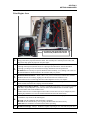
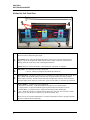
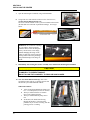
Installing the Printhead Cartridge
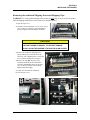
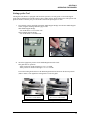
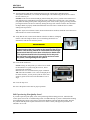
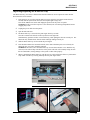
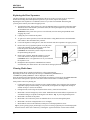
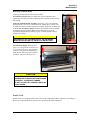
The Digital Color Printer uses a single Memjet® printhead cartridge.
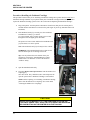
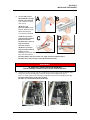
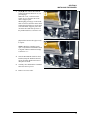
The Printhead Cartridge is a delicate, precision device. Handle with extreme care to avoid damage and
issues that could degrade print quality.
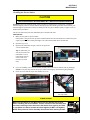
ATTENTION
If you experienced fuzzy print quality or an abrupt failure in a particular area of nozzles on
the previous printhead, we recommend that you have the service station
inspected/cleaned and the wiper roller replaced before installing the new printhead.
Failure to do so will increase the chance of damage to the new printhead. Service station
maintenance and wiper roller replacement should only be performed by a qualified/trained
person. Please contact your service representative to obtain training or to have them
perform this process for you.
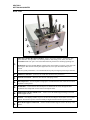
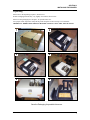
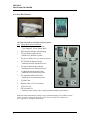
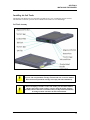
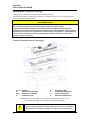
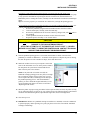
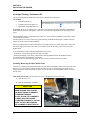
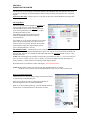
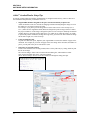
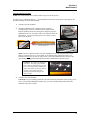
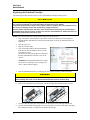
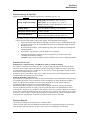
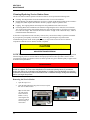
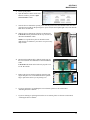
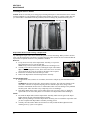
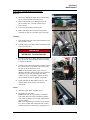
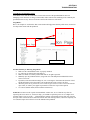
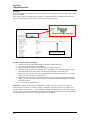
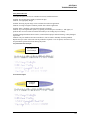
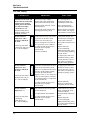
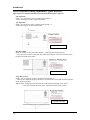
Printhead Cartridge Protective Packaging
1 & 10
2
3&8
4
Handles
Nozzles protective tape
Protective cover flaps
Protective cover
5
6
7
9
Foil vacuum bag
Cardboard packing box
Cover retaining clip
Electrical contacts tape
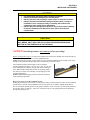
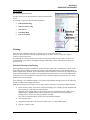
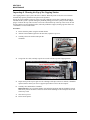
NOTE: Discard protective tape once it is removed. Do NOT reuse protective tape.
Keep all other packaging to store/dispose of old printhead cartridge.
The ink used in this system may be harmful if swallowed.
Keep new and used printhead cartridges and ink tanks out of reach of children.
Discard unwanted printhead cartridges and empty ink tanks immediately.
22