1
Confidential
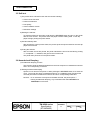
APPENDIX F: EXAMPLE PRINTING IN PAGE MODE
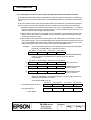
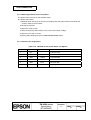
Example use of page mode is described in this appendix.
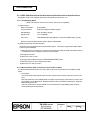
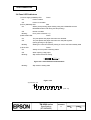
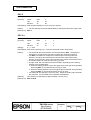
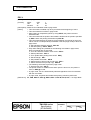
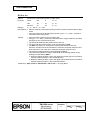
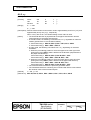
A typical procedure for transmitting commands in page mode is as follows:
① Transmit ESC L to enter page mode.
② Specify the printable area using ESC W.
③ Specify the printing direction using ESC T.
④ Transmit the print data.
⑤ Collectively print the data by sending an FF.
⑥ After printing, the printer automatically returns to standard mode.
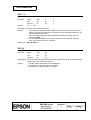
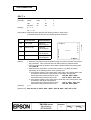
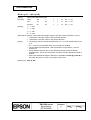
Example 1: Sample program in BASIC (assumes transmission to the printer is already
possible with file #1 open)
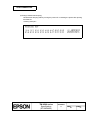
100 PRINT #1,CHR$(&H1B);"L";
110 PRINT #1,CHR$(&H1B);"W";CHR$(0);CHR$(0);CHR$(0);CHR$(0);
120 PRINT #1,CHR$(200);CHR$(0);CHR$(144);CHR$(1);
130 PRINT #1,CHR$(&H1B);"T";CHR$(0);
140 PRINT #1,"Page mode lesson TEST 1"
150 PRINT #1,CHR$(&HC);
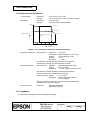
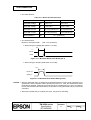
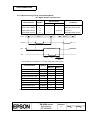
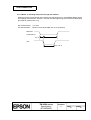
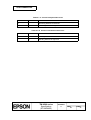
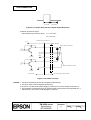
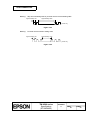
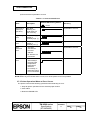
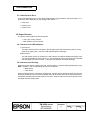
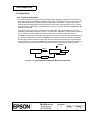
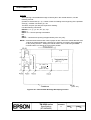
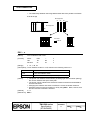
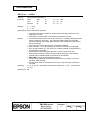
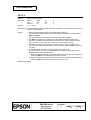
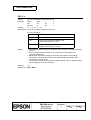
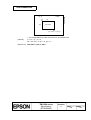
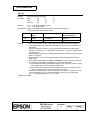
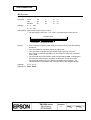
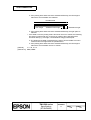
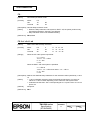
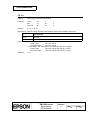
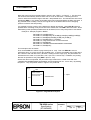
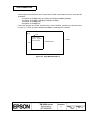
In the program for Example 1, a printable area of 200 × 400 dots starting at (0,0) is set, and
characters are printed on the first line of the area as shown in Figure F.1.
(0,0)
200
Page mode lesson
TEST 1
← Paper
← Printable area
400
Figure F.1 Page Mode Example 1
TITLE
TM-U590 series
Specification
(STANDARD)
SHEET
REVISION
H
NO.
NEXT
App. 11
SHEET
App. 10