1
Loading Supply for Non-Peel Mode
This section describes how to load supply to print in non-peel
(continuous) mode. If you have a thermal direct printer (does not
require a ribbon), make sure you load thermal direct supply. If you
have a thermal transfer printer (requires a ribbon), make sure you
load thermal transfer supply.
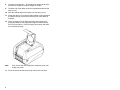
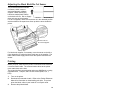
Make sure the black mark/die cut sensor is set correctly for your
supply type. See “Adjusting the Black Mark/Die Cut Sensor,” for
more information.
Note:
If you run out of supply while printing, do not turn off the
printer when reloading the supply. You may lose your
data. The printer resumes printing when reloaded.
1.
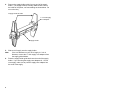
Remove and discard the tape from a new roll of supply.
Unwrap and discard supply with any glue residue.
2.
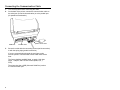
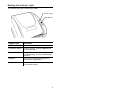
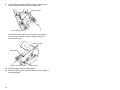
Press the release levers towards the front of the printer to
release the cover or supply door.
3.
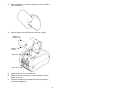
Lift open the cover or supply door.
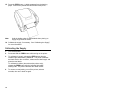
For thermal transfer printers, the supply door support at the
right-hand rear of the printer holds the supply door open.
7