1
Connecting by USB
NOTE
•When connected to a computer, power can be supplied by
USB. The recorder will not turn on just by connecting the
cable. Press
to turn it on.
•When connected to an iPad, power is not supplied by USB.
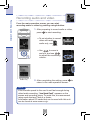
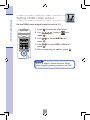
■■Using with a computer as a card reader or USB mic
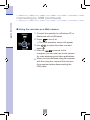
1. Connect the recorder to a Windows PC or
Macintosh with a USB cable.
2. Press
to turn it on.
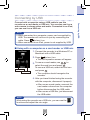
•The USB operation screen will appear.
3. To use as a card reader, use
Card reader
USB mic
to
.
select the card icon and press
To use as a USB mic, select the mic icon
and press
.
•The computer should recognize the
recorder.
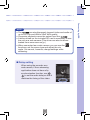
4. After you have finished using the recorder
with the computer, disconnect it properly.
•After use as a card reader, unmount the
card reader volume from the computer
before disconnecting the USB cable.
•After use as a USB mic, just disconnect
the USB cable.
NOTE
While using the recorder as a USB mic, you can use the
functions and adjust the mic angle.
20
INPUT
Connecting by USB
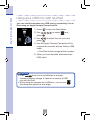
Connect with a computer using a USB cable to use this
recorder as a card reader or USB mic. You can also use it as a
web camera to stream video and audio. Connected to an iPad,
you can use it as a USB mic.