1
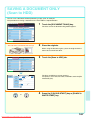
QUICKLY SAVING A JOB (Quick File)
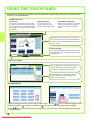
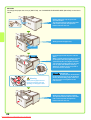
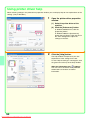
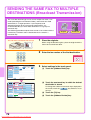
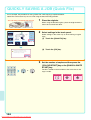
As an example, the procedure for using "Quick File" while copying is explained below.
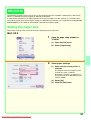
Quick File is the easiest way to save a file using the document filing function.
The side to be scanned must be face up!
1
Place the originals.
When using the document glass, place the original with the
side to be scanned face down.
Colour Mode
Special Modes
Full Colour
2
2-Sided Copy
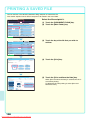
Select settings in the same way as when making a regular
copy.
Plain
A4
Output
Exposure
1.
Auto
3.
4.
2.
A4
A4
A3
B4
File
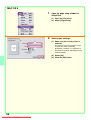
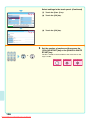
(1) Touch the [Quick File] key.
Quick File
Copy Ratio
Original
Paper Select
100%
Auto
Auto
A4
Plain
A4
Select settings in the touch panel.
(1)
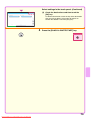
(2) Touch the [OK] key.
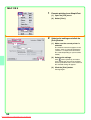
Scanned data is automatically stored
in the quick file folder. Do not store
confidential data to the folder.
OK
(2)
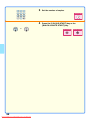
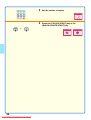
3
or
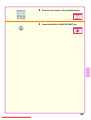
Set the number of copies and then press the
[COLOUR START] key or the [BLACK & WHITE
START] key.
The file is stored on the hard drive at the same time as the
copy is made.
Correct sets
104
Downloaded From ManualsPrinter.com Manuals
Cancel scanning
Cancel copying