1
Connectivity (M 12)
By configuring the settings in this menu, you can
connect to Bluetooth wireless technology enabled
phones or a PC via Bluetooth wireless technology.
Bluetooth (M 12-1)
For using the Bluetooth wireless function, you need to
search for other Bluetooth wireless technology enabled
devices to establish contact with your phone. Keep your
phone within a distance of 10 metres from the devices
before searching.
Using the Bluetooth Wireless Function
To Turn On or Off
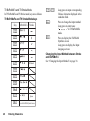
“Connectivity” → “Bluetooth” → “Switch On/Off ”
1. Select “On” or “Off ”.
The Bluetooth wireless setting is activated, and
“ ” is displayed.
To Show or Hide Your Phone
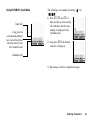
“Connectivity” → “Bluetooth” → “Visibility”
1. Select the desired visibility settings.
“Show My Phone”: Allows other devices to
recognise your phone.
“Hide My Phone”:
Hides your phone from
other devices.
To Search for Devices to be Paired
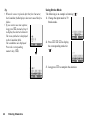
“Connectivity” → “Bluetooth” → “Search for
Devices”
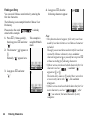
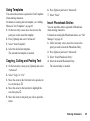
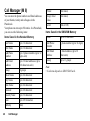
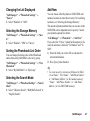
The phone starts searching for devices within 10
metres. A maximum of 16 devices can be searched for
and listed on the display.
1. Select the desired device for pairing.
2. Enter the device passcode.
Note
• If the Bluetooth wireless function is off before
searching, the phone turns the Bluetooth wireless
function on automatically and starts searching.
• You can only select one device for pairing. To change
the paired device, see “To Activate the Paired
Device” on page 122.
Tip
• You can save battery power by turning the Bluetooth
wireless function off while it is not in use. Turn the
Bluetooth wireless function off in “To Turn On or
Off” on this page or in “To Turn Off Automatically”
on page 123.
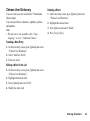
• During a call, you can divert voice calls to the paired
handsfree device. Press [Options], select “Transfer
Audio” and then “To Bluetooth” or “To Handset”.
If you wish to disconnect the paired device, select
“Off”.
Connectivity
121