1
English
Special
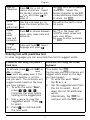
Press * for a list of
characters special characters. Select
the desired character with
/
and press
to
enter it.
Tap
for a list of special
characters. Select the
desired character or tap 1/2
to view additional characters.
To return, tap
.
Move the Use the side keys +/– to
cursor
move the cursor within the
within text text.
Tap within the text to move
the cursor.
Upper
case,
lower
case and
numerals
Press # to choose between
upper case, lower case and
numerals.
Tap
in the lower left
corner to select upper and
lower case letters.
Tap
to enter numerals.
Change
input
language
Press and hold #, select
language and press
.
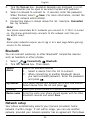
Entering text with predictive text
In some languages you can use predictive text to suggest words.
Predictive text using the phone’s
hard keys
Predictive text using the virtual
keyboard
To activate, press # until ABC or
Abc is shown.
Press each key once, even if the
displayed character is not the
one you want. The dictionary will
suggest words based on the keys
you have pressed.
To activate, tap
.
Tap the keys and the dictionary will
suggest words based on the keys
you have tapped.
1.
2.
3.
1.
2.
To write the word “Doro”,
press 3, 6, 7, 6.
Complete the word before
looking at the suggestions.
Use
/
to view the
suggested words. Press
to select.
Press 0 to continue with
the next word.
7
To write the word “Doro”,
tap D, o, r, o.
Tap the suggested word from
the list to select. Scroll
down the list for additional
words.
to
Alternatively, tap
continue with the next word.