1
English
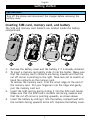
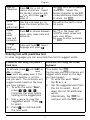
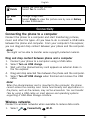
Delete
View
mode
Delete the selected picture.
Select Yes to confirm.
Change image view.
Select Single to view the picture one by one or Gallery
to view thumbnails.
Connectivity
Connecting the phone to a computer
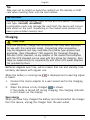
Connect the phone to a computer and start transferring pictures,
music and other file types. All you have to do is connect a USB cable
between the phone and computer. From your computer's file explorer,
you can drag and drop content between your phone and the computer.
Note!
You might not be able to transfer some copyright-protected material.
Drag and drop content between phone and a computer
1.
2.
3.
4.
5.
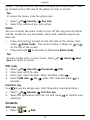
Connect your phone to a computer using a USB cable.
Select Turn on USB storage.
Wait until the phone/memory card appears as external disks in
the file explorer.
Drag and drop selected files between the phone and the computer.
Select Turn off USB storage when finished and remove the USB
cable.
Note!
When the phone/memory card is mounted to the computer, the phone
cannot access the memory card. Some functionality and applications in
the phone, such as the camera, may not be accessible. You can transfer
files by using a USB cable on most devices and operating systems
supporting a USB Mass Storage interface.
Wireless networks
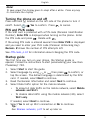
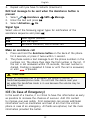
Connect to wireless networks when available to reduce data costs.
1.
Select
Connectivity
Wi-Fi.
22