1
4-4
Maintaining the printer
9
Replace the print ribbon cartridge.
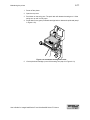
10 Close the swing arm, pressing it down until the push latch clicks into place.
11 Close the printer top cover.
♦
Using the printer cleaning card
Use the printer cleaning card when prompted or according to schedule. You can run a
printer cleaning card whenever you are not printing, whether or not you have been
prompted.
Run a printer cleaning card
E
1
If the printer has a locking card cartridge, unlock the cartridge before removing it.
Remove the card cartridge and set it aside.
E
2
If the print ribbon sticks to the printer cleaning card, remove the print ribbon
and repeat this procedure with a new printer cleaning card.
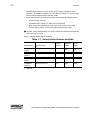
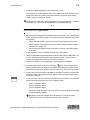
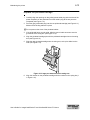
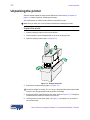
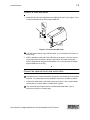
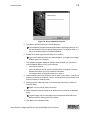
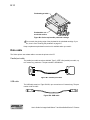
Peel the protective paper backing from both sides of the printer cleaning card (see
Figure 4-4).
Figure 4-4: Printer cleaning card
3
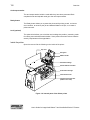
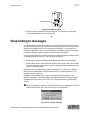
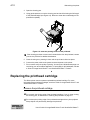
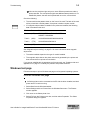
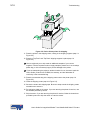
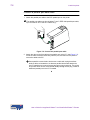
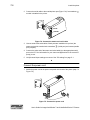
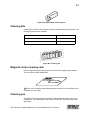
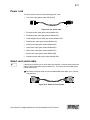
Insert the printer cleaning card on the input rollers, which you can see after
removing the card cartridge (see Figure 4-5).
Figure 4-5: Insert the printer cleaning card
4
Start a cleaning cycle by doing one of the following:
User’s Guide for ImageCard® Select™ and UltraGrafix® Select™