1
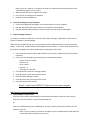
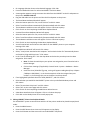
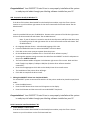
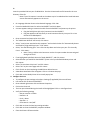
Or Insert the provided CD into your CD‐ROM drive. Run the PrinterInstall.exe file located in the root directory of the CD. ‐ Note: If your PC Autorun is turned on the above step isn’t needed and the install welcome screen automatically appears on the screen. On Language Selection Screen select desired language. Click <OK> From the Handheld Printers list select the IDXPERT® and click <Next> A screen appears stating to connect the cable from the IDXPERT® and power up the printer. Plug the RJ45 (phone jack style) connector into the IDXPERT®. Plug the opposite end with the 9 pin serial connector directly into your PC or into the Serial‐to‐USB adapter®. Once connected and powered on click <OK>. The "Add Printer Wizard" will launch, click <Next> Select, "Local printer attached to this computer" and uncheck the box for "Automatically detect and install my Plug and Play printer". Click <Next> Select, "Use the following port:" then click the drop down and select your port. This is usually Com 1. Click <Next> Note: If using a USB to serial convertor use the Com port number that was assigned during that install. If not highlighted by default select the "Brady IDXPERT®", and click <Next>. Select whether you would like the IDXPERT® printer to be your default Windows printer and click <Next> Select "Do not share this printer" and click <Next>. Select "No" to print a test page and click <Next>. Click <Finish> on the Completing the Add Printer Wizard screen. A Hardware Installation box will appear. Click on <Continue Anyway> Click <OK> on the Brady Printer Driver Install pop up box. 4. Configure the Port: To configure the port settings select Start >Settings (if applicable)>Printer and Faxes. Left mouse click to select the IDXPERT®. Once selected right mouse click and choose Properties. Click on the Ports tab The Com port selected during the install will be highlighted. Click on <Configure Port>. Verify the following settings ‐ Bits per second = 115200 ‐ Data bits = 8 ‐ Parity = None ‐ Stop bits = 1 ‐ Flow control = Xon/Xoff Click <OK> to close the Com Port settings window. Click <OK> to close the IDXPERT® properties window. Close the Printers & Faxes window