1
Chapter 9
Configuring Switch-Based Authentication
Controlling Switch Access with RADIUS
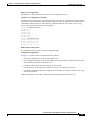
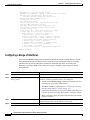
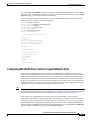
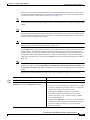
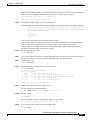
For example, this AV pair activates Cisco’s multiple named ip address pools feature during IP
authorization (during PPP’s IPCP address assignment):
cisco-avpair= ”ip:addr-pool=first“
This example shows how to provide a user logging in from a switch with immediate access to privileged
EXEC commands:
cisco-avpair= ”shell:priv-lvl=15“
This example shows how to specify an authorized VLAN in the RADIUS server database:
cisco-avpair= ”tunnel-type(#64)=VLAN(13)”
cisco-avpair= ”tunnel-medium-type(#65)=802 media(6)”
cisco-avpair= ”tunnel-private-group-ID(#81)=vlanid”
Other vendors have their own unique vendor-IDs, options, and associated VSAs. For more information
about vendor-IDs and VSAs, refer to RFC 2138, “Remote Authentication Dial-In User Service
(RADIUS).”
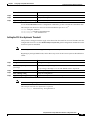
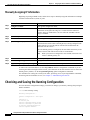
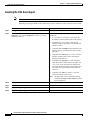
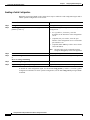
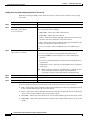
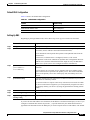
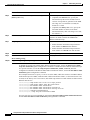
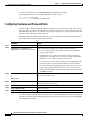
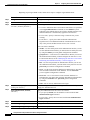
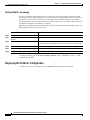
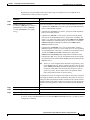
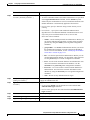
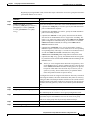
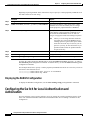
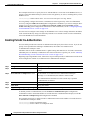
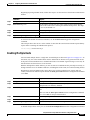
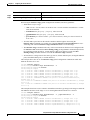
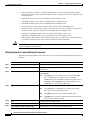
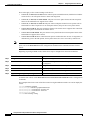
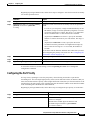
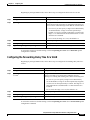
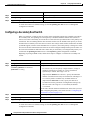
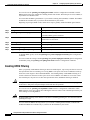
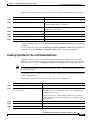
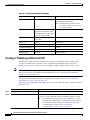
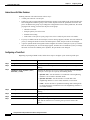
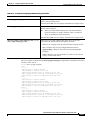
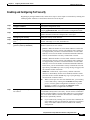
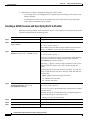
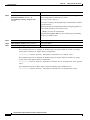
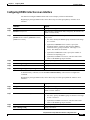
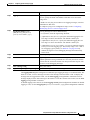
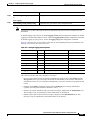
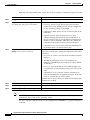
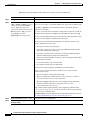
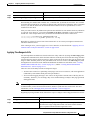
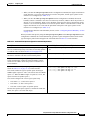
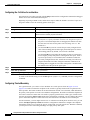
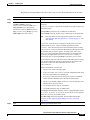
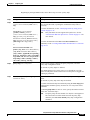
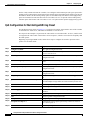
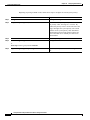
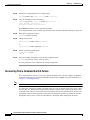
Beginning in privileged EXEC mode, follow these steps to configure the switch to recognize and use
VSAs:
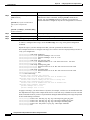
Command
Purpose
Step 1
configure terminal
Enter global configuration mode.
Step 2
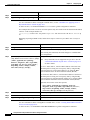
radius-server vsa send [accounting |
authentication]
Enable the switch to recognize and use VSAs as defined by RADIUS IETF
attribute 26.
•
(Optional) Use the accounting keyword to limit the set of recognized
vendor-specific attributes to only accounting attributes.
•
(Optional) Use the authentication keyword to limit the set of
recognized vendor-specific attributes to only authentication attributes.
If you enter this command without keywords, both accounting and
authentication vendor-specific attributes are used.
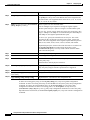
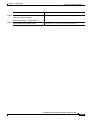
Step 3
end
Return to privileged EXEC mode.
Step 4
show running-config
Verify your settings.
Step 5
copy running-config startup-config
(Optional) Save your entries in the configuration file.
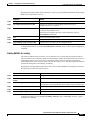
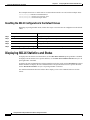
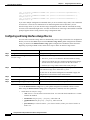
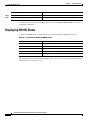
For a complete list of RADIUS attributes or more information about vendor-specific attribute 26, refer
to the “RADIUS Attributes” appendix in the Cisco IOS Security Configuration Guide for Release 12.1.
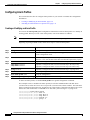
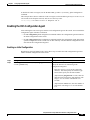
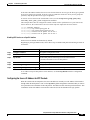
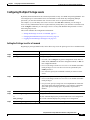
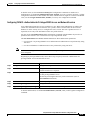
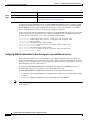
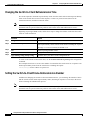
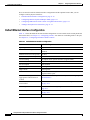
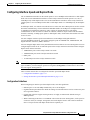
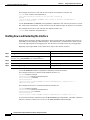
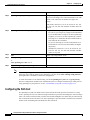
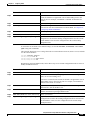
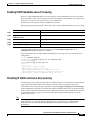
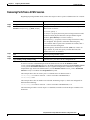
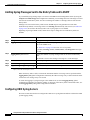
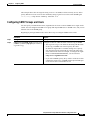
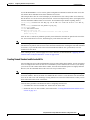
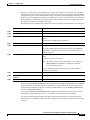
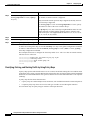
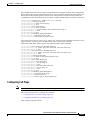
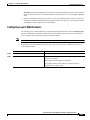
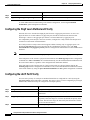
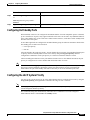
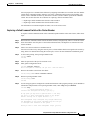
Configuring the Switch for Vendor-Proprietary RADIUS Server Communication
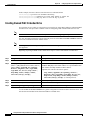
Although an IETF draft standard for RADIUS specifies a method for communicating vendor-proprietary
information between the switch and the RADIUS server, some vendors have extended the RADIUS
attribute set in a unique way. Cisco IOS software supports a subset of vendor-proprietary RADIUS
attributes.
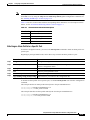
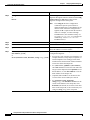
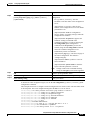
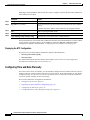
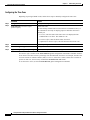
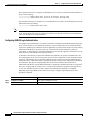
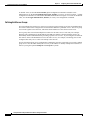
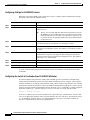
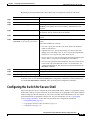
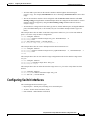
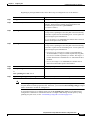
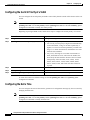
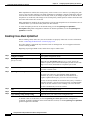
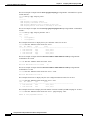
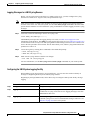
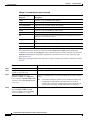
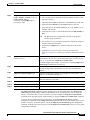
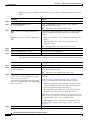
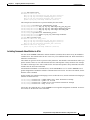
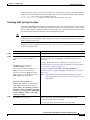
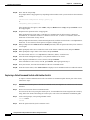
As mentioned earlier, to configure RADIUS (whether vendor-proprietary or IETF draft-compliant), you
must specify the host running the RADIUS server daemon and the secret text string it shares with the
switch. You specify the RADIUS host and secret text string by using the radius-server global
configuration commands.
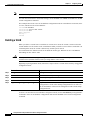
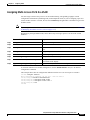
Catalyst 2950 and Catalyst 2955 Switch Software Configuration Guide
78-11380-07
9-29