1
Chapter 7
Clustering Switches
Planning a Switch Cluster
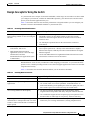
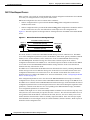
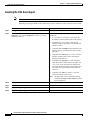
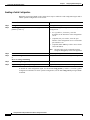
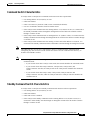
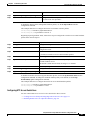
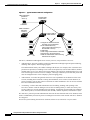
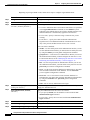
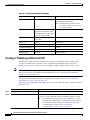
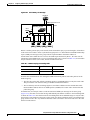
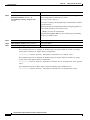
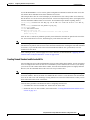
Automatic discovery has these limitations:
•
This limitation applies only to clusters that have Catalyst 2950, Catalyst 2955, and Catalyst 3550
command and standby command switches: If the active command switch and standby command
switch become disabled at the same time, the passive command switch with the highest priority
becomes the active command switch. However, because it was a passive standby command switch,
the previous command switch did not forward cluster-configuration information to it. The active
command switch only forwards cluster-configuration information to the standby command switch.
You must therefore rebuild the cluster.
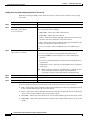
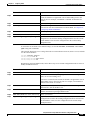
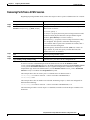
•
This limitation applies to all clusters: If the active command switch fails and there are more than
two switches in the cluster standby group, the new command switch does not discover any
Catalyst 1900, Catalyst 2820, and Catalyst 2916M XL member switches. You must re-add these
member switches to the cluster.
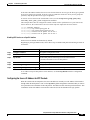
•
This limitation applies to all clusters: If the active command switch fails and becomes active again,
it does not discover any Catalyst 1900, Catalyst 2820, and Catalyst 2916M XL member switches.
You must again add these member switches to the cluster.
When the previously active command switch resumes its active role, it receives a copy of the latest
cluster configuration from the active command switch, including members that were added while it was
down. The active command switch sends a copy of the cluster configuration to the cluster standby group.
IP Addresses
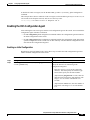
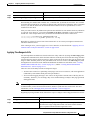
You must assign IP information to a command switch. You can access the cluster through the
command-switch IP address. If you configure a cluster standby group, you must use the standby-group
virtual IP address to manage the cluster from the active command switch. Using the virtual IP address
ensures that you retain connectivity to the cluster if the active command switch fails and that a standby
command switch becomes the active command switch.
If the active command switch fails and the standby command switch takes over, you must either use the
standby-group virtual IP address or the IP address available on the new active command switch to access
the cluster.
You can assign an IP address to a cluster-capable switch, but it is not necessary. A member switch is
managed and communicates with other member switches through the command-switch IP address. If the
member switch leaves the cluster and it does not have its own IP address, you then must assign IP
information to it to manage it as a standalone switch.
Note
Changing the command switch IP address ends your CMS session on the switch. Restart your CMS
session by entering the new IP address in the browser Location field (Netscape Communicator) or
Address field (Internet Explorer), as described in the release notes.
For more information about IP addresses, see Chapter 5, “Assigning the Switch IP Address and Default
Gateway.”
Catalyst 2950 and Catalyst 2955 Switch Software Configuration Guide
7-16
78-11380-07