1
Chapter 26
Configuring Network Security with ACLs
Configuring ACLs
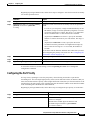
ACL Numbers
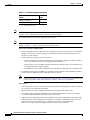
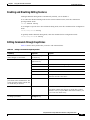
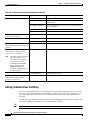
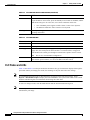
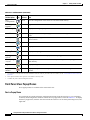
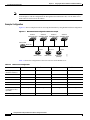
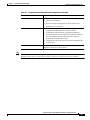
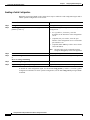
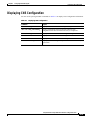
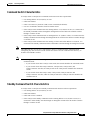
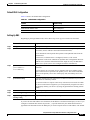
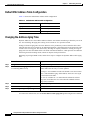
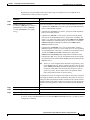
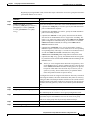
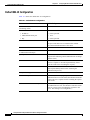
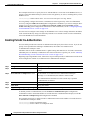
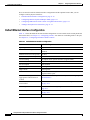
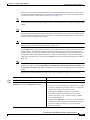
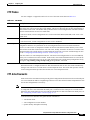
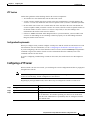
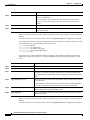
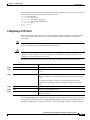
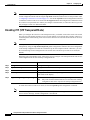
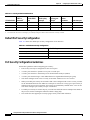
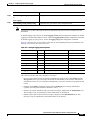
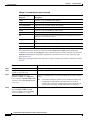
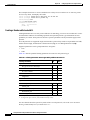
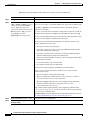
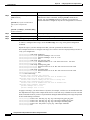
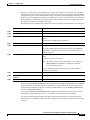
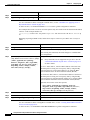
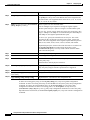
The number you use to denote your ACL shows the type of access list that you are creating. Table 26-2
lists the access list number and corresponding type and shows whether or not they are supported by the
switch. The switch supports IP standard and IP extended access lists, numbers 1 to 199 and 1300 to 2699.
Table 26-2 Access List Numbers
Note
ACL Number
Type
Supported
1–99
IP standard access list
Yes
100–199
IP extended access list
Yes
200–299
Protocol type-code access list
No
300–399
DECnet access list
No
400–499
XNS standard access list
No
500–599
XNS extended access list
No
600–699
AppleTalk access list
No
700–799
48-bit MAC address access list
No
800–899
IPX standard access list
No
900–999
IPX extended access list
No
1000–1099
IPX SAP access list
No
1100–1199
Extended 48-bit MAC address access list
No
1200–1299
IPX summary address access list
No
1300–1999
IP standard access list (expanded range)
Yes
2000–2699
IP extended access list (expanded range)
Yes
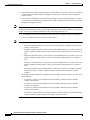
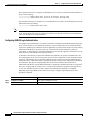
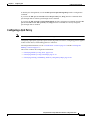
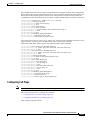
In addition to numbered standard and extended ACLs, you can also create named standard and extended
IP ACLs by using the supported numbers. That is, the name of a standard IP ACL can be 1 to 99; the
name of an extended IP ACL can be 100 to 199. The advantage of using named ACLs instead of
numbered lists is that you can delete individual entries from a named list.
Catalyst 2950 and Catalyst 2955 Switch Software Configuration Guide
26-8
78-11380-07