1
Table of Contents
Introduction........................................................................................... 9
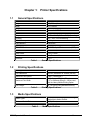
Chapter 1: Printer Specifications .................................................... 11
1.1
General Specifications...................................................................................11
1.2
Printing Specifications ...................................................................................11
1.3
Media Specifications......................................................................................11
Chapter 2: Features and Options .................................................... 13
2.1
Fonts 13
2.2
Graphics ........................................................................................................13
2.3
Bar codes ......................................................................................................13
2.4
Special Features ...........................................................................................14
2.5
Options ..........................................................................................................14
Chapter 3: Getting Started ............................................................... 15
3.1
Unpacking and Inspection .............................................................................15
3.2
Connecting the Printer...................................................................................15
3.2.1
Printer Power...........................................................................................16
3.2.2
RS232 Serial Communication Interface...................................................16
3.2.3
Optional Cutter Interface .........................................................................16
3.3
Loading Media...............................................................................................16
3.4
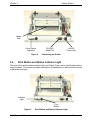
Print Button and Status Indicator Light ..........................................................17
3.4.1
Print Button..............................................................................................18
3.4.2
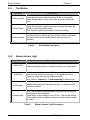
Status Indicator Light...............................................................................18
3.5
Printer Modes ................................................................................................19
3.5.1
Idle Mode.................................................................................................19
3.5.2
Halted Mode ............................................................................................19
3.5.3
Paused Mode ..........................................................................................19
3.5.4
Diagnostic Mode......................................................................................19
3.5.4.1
Entering Diagnostic Mode ................................................................. 19
3.5.4.2
Statistics Label .................................................................................. 20
Chapter 4: Communication .............................................................. 21
322M Operator’s Manual
i