1
mn100 Dual Digital Display
2.6
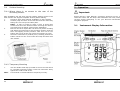
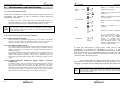
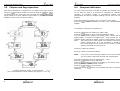
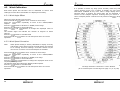
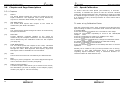
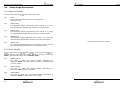
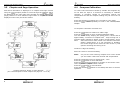
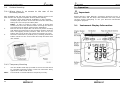
Chapter and Page Descriptions
2.5.1 Chapters
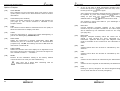
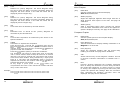
(c1)
DEPTH
The Actual Depth beneath the vessel as measured by the
Depth Transducer. The displayed value will be affected by
any keel or waterline offset added (see page 23).
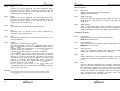
(c2)
APP WIND Speed
The Actual Wind Speed with respect to the vessel as
measured by the Wind Transmitter.
(c3)
SPEED
The vessels actual speed through the water as measured by
the Speed Transducer.
(c4)
MAG HDG
Current Magnetic Compass Heading of the vessel as
measured by the Compass Transducer. The value displayed
will be affected by the calibration routine for the compass
(see page 26).
(c5)
TRUE WIND Speed
The True Wind Speed with respect to the vessel, calculated
by the instrument taking into account the vessels speed
through the water. Both Apparent Wind Speed, Angle and
Boat Speed must be available for this calculation.
(c6)
COG
Course Over the Ground as calculated by the GPS Antenna.
(c7)
BTW
Bearing To (active) Waypoint. The active Waypoint being the
one to which the GPS is currently navigating.
(c8)
PROG (Custom Chapter)
A Custom Chapter which allows you to select from a full list,
the information you wish to display in the Chapter (upper)
window (see page 21 -s30 for selection).
10
Setup and Calibration
4.2
Speed Calibration
To ensure that the Boat Speed (and Distance) is accurate it is
necessary to calibrate the speed to take into account variations in
water flow between different hulls. Adjustment is made by multiplying
the Speed through the Water (V) by a percentage Calibration Factor.
It is essential to carry out this procedure at a time where little or no
tide is flowing.
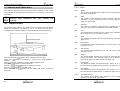
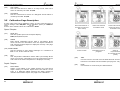
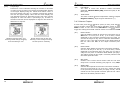
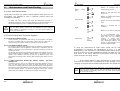
To enter a Log Calibration Factor
With the vessel under power, steer a straight course allowing the Boat
Speed reading to settle to a constant value. Check the GPS is showing
a constant SOG.
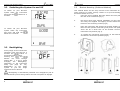
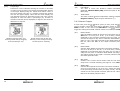
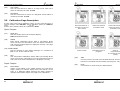
Press and hold the
button for 2 seconds to enter Setup
Press the
button repeatedly to scroll to the “SETUP/SPEED”
Chapter
Press the
button to advance to “SPEED/+0%” Page
Press the
button to enter Edit Mode
Press the
and
buttons to change the Calibration Factor until
the Speed reading displayed matches the GPS SOG reading
Press the
button to exit Edit Mode
button to exit Setup and return to normal
Press and hold the
operation.
Should you be unable to carry out this procedure due to strong tidal
conditions or poor GPS information there is further information
regarding Speed Calibration using a measured distance on the
Tacktick website at www.tacktick.com.
27