1
Table Of Contents
About the ProntoEdit Professional Software..................................................................................................... 1
What’s New in ProntoEdit Professional? .......................................................................................................... 2
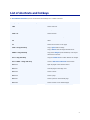
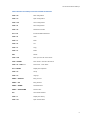
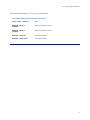
List of shortcuts and hotkeys ........................................................................................................................ 4
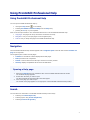
Using ProntoEdit Professional Help................................................................................................................. 7
Using ProntoEdit Professional Help .............................................................................................................. 7
Navigation............................................................................................................................................... 7
Search .................................................................................................................................................... 7
Working with ProntoEdit Professional ............................................................................................................. 9
What Can I Do with ProntoEdit Professional? ................................................................................................ 9
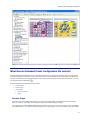
What Does an Extended Pronto Configuration File contain? ...........................................................................10
The ProntoEdit Professional Working Area ...................................................................................................13
Creating jobs starting from a default configuration file ....................................................................................14
Building Your XCF....................................................................................................................................14
Setup of the default configuration file.........................................................................................................14
The 6 steps for customizing the configuration file.........................................................................................21
Basic Actions .............................................................................................................................................24
What You Can Do in the Tree View.............................................................................................................24
What You Can Do in the Page View ............................................................................................................25
Previewing with the Pronto Simulator .........................................................................................................26
Downloading to the Pronto........................................................................................................................26
Controlling AV-equipment via RF ...............................................................................................................27
Merging XCF Files ....................................................................................................................................28
Importing CCF or PCF Files .......................................................................................................................28
How can I...? ..........................................................................................................................................29
Add Devices.........................................................................................................................................29
Add a Lutron Lighting System ................................................................................................................29
Add an Escient Fireball Audio Server .......................................................................................................30
Delete Devices in the Tree View..............................................................................................................30
Move Devices in the Tree View ...............................................................................................................30
Copy Devices in the Tree View................................................................................................................31
Hide Devices ........................................................................................................................................31
Add Pages to a Device...........................................................................................................................31
Delete Pages in the Tree View ................................................................................................................32
Move Pages in the Tree View..................................................................................................................32
Copy Pages in the Tree View ..................................................................................................................32
Hide Pages ..........................................................................................................................................33
Close Pages in the Page View .................................................................................................................33
Add Objects to a Page ...........................................................................................................................33
Delete Objects in a Page........................................................................................................................34
i