1
Table Of Contents
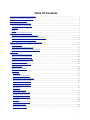
Display the Gallery ...............................................................................................................................81
Use Transparancy .................................................................................................................................81
Design the System Page ........................................................................................................................82
Create a Personal Home Page.................................................................................................................82
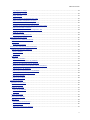
Positioning Elements...................................................................................................................................84
Positioning Elements ................................................................................................................................84
Grid and Border....................................................................................................................................84
Centering objects .................................................................................................................................85
Aligning buttons ...................................................................................................................................85
Dividing buttons evenly on a page ..........................................................................................................85
Changing the Z-order............................................................................................................................85
Grouping objects ..................................................................................................................................85
How can I...? ..........................................................................................................................................86
Define the Grid & Border Settings ...........................................................................................................86
Use a Grid for Positioning Objects ...........................................................................................................86
Use a Border for Positioning Objects........................................................................................................87
Center Objects .....................................................................................................................................87
Align Objects .......................................................................................................................................87
Create Even Spaces Between the Objects ................................................................................................89
Use the Z-order of an Object..................................................................................................................89
Group Objects in a Page ........................................................................................................................90
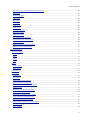
Drag-and-drop...........................................................................................................................................91
Drag-and-drop Operations ........................................................................................................................91
Standard drag-and-drop operations ........................................................................................................91
Special drag-and-drop operations ...........................................................................................................91
Links and Jumps......................................................................................................................................91
Outward links and jumps .......................................................................................................................92
Inward links and jumps .........................................................................................................................93
Move .....................................................................................................................................................95
Move Pages in Page View.......................................................................................................................95
Move Objects in Page View ....................................................................................................................95
Copy......................................................................................................................................................96
Copy Objects in Page View.....................................................................................................................96
Copy an Action List ...............................................................................................................................96
Copy Images .......................................................................................................................................97
Create a Link .......................................................................................................................................97
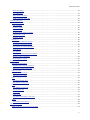
Copy Devices and Pages in Tree View ......................................................................................................98
Gallery...................................................................................................................................................98
Add a Button to the Gallery....................................................................................................................98
Tips & Tricks to .... .....................................................................................................................................99
Adjust the tab structure on the lay out pages ..............................................................................................99
iv