1
Configuring a RADIUS server on UNIX®, with shadow passwords
If UNIX shadow password files are used (/etc/passwd) in conjunction with the RADIUS
dictionary files, the following two methods can be used to authenticate users:
• If all UNIX users have administrative privileges, add the following to the RADIUS
“user” file.
InRow RC ACRC100 Series
USER’S GUIDE
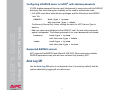
DEFAULT
Auth-Type = System
APC-Service-Type = Admin
To allow only Device-Only Users, change the value for APC-Service-Type to
Device.
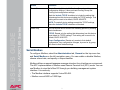
• Add user names and attributes to the RADIUS “user” file and verify passwords
against /etc/passwd. The following example is for users bconners and thawk:
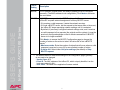
bconners
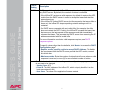
thawk
Auth-Type = System
APC-Service-Type = Admin
Auth-Type = System
APC-Service-Type = Device
Supported RADIUS servers
APC supports FreeRADIUS and Microsoft IAS 2003. Other commonly available
RADIUS applications may work but have not been fully tested by APC.
Auto Log Off
Use the Auto Log Off option to configure the time (3 minutes by default) that the
system waits before logging off an inactive user.
40