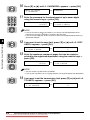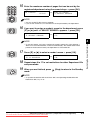
1
NOTE
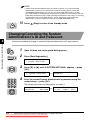
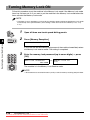
• Setting of the System Administrator’s password is optional. If you set the System
Administrator’s password, you must enter the password every time you enter the
SYSTEM SETTINGS menu. You can also use the System Administrator’s ID and
password instead of the Department ID and password when you are asked to enter the
Department ID and password to begin operating the machine. In this case, you are using
the machine as the System Administrator, and do not need to enter the System
Administrator’s password when you enter the SYSTEM SETTINGS menu.
10
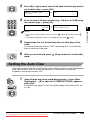
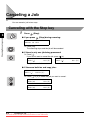
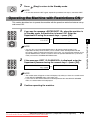
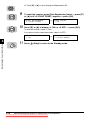
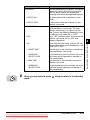
Press
(Stop) to return to the Standby mode.
Changing/Canceling the System
Administrator’s ID and Password
Restricting the Use of the Machine
4
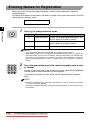
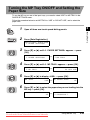
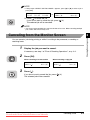
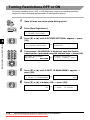
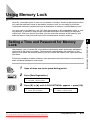
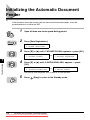
Follow this procedure to change or cancel the System Administrator’s ID and password.
Data
Registration
1
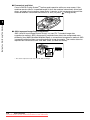
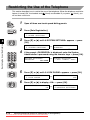
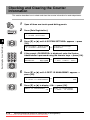
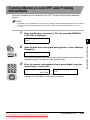
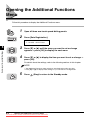
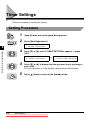
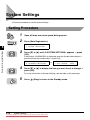
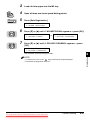
Open all three one-touch speed dialing panels.
2
Press [Data Registration].
ADDITIONAL FUNCTIONS
1.PAPER SETTINGS
3
OK
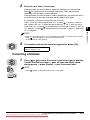
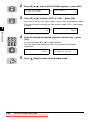
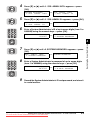
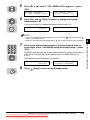
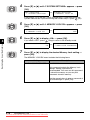
Press [▼] or [▲] until <6.SYSTEM SETTINGS> appears ➞ press
[OK].
ADDITIONAL FUNCTIONS
SYSTEM SETTINGS
➞ PASSWORD
6.SYSTEM SETTINGS
_
4
1
2
3
4
5
6
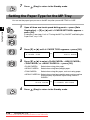
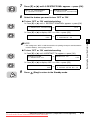
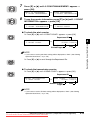
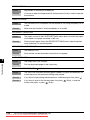
Enter the current System Administrator’s password using the
numeric keys ➞ press [OK].
7
8
9
The current password is not displayed as you enter it.
0
SYSTEM SETTINGS
PASSWORD
➞
SYSTEM SETTINGS
1.SYS. ADMIN. INFO
OK
4-4
Setting and Using the System Administrator’s ID and Password
Downloaded from ManualsPrinter.com Manuals