1
Setting the IP Address of the Mason
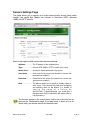
At the factory, the Mason is set to these network settings:
Net Discovery.......
Manual
IP address.............
192.168.1.10
Mask.......................
255.255.255.0
Gateway................
192.168.1.1
DNS.......................
not set
Most likely you will need to change these settings to something appropriate for
your network.
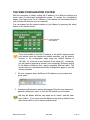
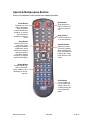
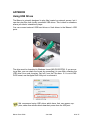
8. With the remote control pointed towards the front of the Mason, press
the ʻSetupʼ button. The Network Settings window will be displayed.
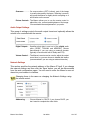
Choose Manual or DHCP
Use the arrow keys on the remote
to move from field to field, and the
number keys to enter values.
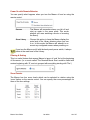
9. Use the arrow keys on the remote to select Manual or DHCP for network discovery.
Manual...................
Continue by entering the appropriate values in all the
fields, using the remote to move from field to field,
and the number keys to enter the values. Press the
ʻSELECTʼ button on the remote when youʼre done.
DHCP.....................
The IP Address should set itself (this may take a few
seconds). Make note of the address, as youʼll need it
later, then press the ʻSELECTʼ button to save your
setting and close the settings window.
Mason User Guide
Jan 2008
10 of 27