1
SYSTEM REQUIREMENTS
To use the Mason, you will need:
• A 100/1000base-T Ethernet network connection
• A computer with a web browser (for configuration)
• A TV or monitor with an available composite, s-video, component or DVI
•
video input (HDMI inputs can be used with an optional adapter.)
A computer or computers configured as a server to share the video files
you want to play. (The Mason can access files on NFS, SMB or HTTP
servers.)
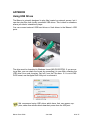
The Mason can also play files from a locally connected USB drive. See
ʻUsing USB Drivesʼ later in this guide for details.
WHATʼS IN THE BOX
In the box you should find the following items (if anything is missing contact
Wired at: [email protected].)
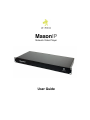
• MasonIP unit
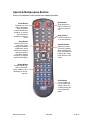
• Remote control and batteries
• Power cord
• this User Guide
Itʼs a good idea to save the box and the protective foam in case you
need to transport the Mason in the future.
Mason User Guide
Jan 2008
2 of 27