1
Using external
equipment
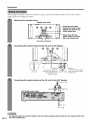
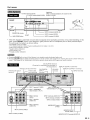
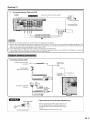
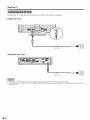
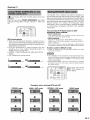
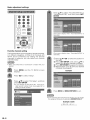
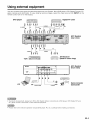
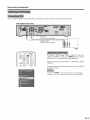
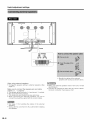
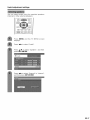
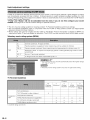
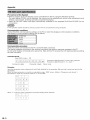
Use the PC terminals to connect a PC.
• The PC input terminals are DDC1/2B_compatible.
• Refer to page 77 for a list of PC signals compatible
with the System.
AVC System (front view)
--o
q
m
RGB cable
commercially available)
PC
3.5 mm stereo minijack cable
sommercially available)
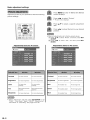
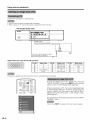
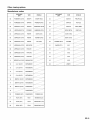
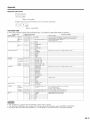
Signal names for 15-pin mini D-sub connecter
Pin No.
(_
Signal name
Pin No.
Signal name
Pin No,
Signal name
R
_)
GND (Ground)
@
Not connected
G
(_
GND (Ground)
@
SDA
B
@
GNU (Ground)
_3_
HD
Not connected
(_)
CSYNC
(_
• Macintosh adaptor may be required for use for some Macintosh
+ 5V
GNU (Ground)
_
VD
_5_
SCL
computers.
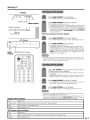
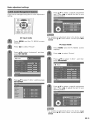
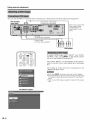
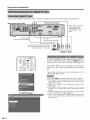
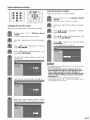
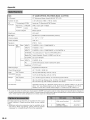
To view an image from a PC, select "PC" from the
"INPUT SOURCE" menu using INPUT on the remote
control unit or on the Display. (See page 50.)
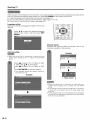
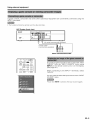
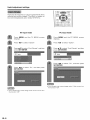
When connecting to a PC, the correct input signal type
is automatically detected.
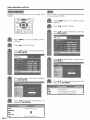
If the PC image does not
come in clearly, you may need to set the Auto Sync.
adjustment on the "Auto Sync." in the "Setup" menu.
(See page 49.)
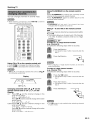
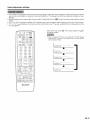
You only need to select the input source on the "INPUT
SOURCE" menu.
• Each time INPUT is pressed,
_) -46
the input source toggles.