1
O p t i o n :
M A G I C
T H 2 p l u s
7.2
K e y p a d
Keypad Functions
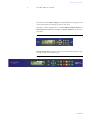
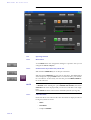
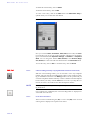
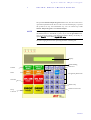
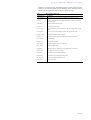
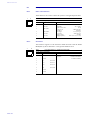
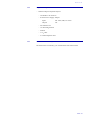
Below you will find the keypad functions listed in table form.
TAB. 3
KEYPAD FUNCTIONS
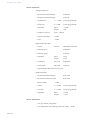
Function key
Description
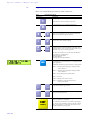
After pressing the key the last cypher of an entry is deleted.
C
Partly, this key is used to terminate an operation.
By pressing this key you can delete the entire entry.
AC
9
0
*
#
QD
QD
0/5
4/9
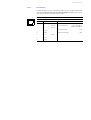
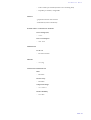
Via the keys 0...9 it is possible to enter a phone number. The
connection is established by pressing the button PRETALK,
HOLD or ON AIR of the respective channel.
The keys ’*’ and ’#’ are mostly used for special functions in connection with a private branch exchange.
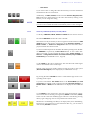
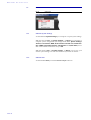
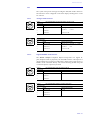
By pressing the Quick Dial keys QD 0 ... QD 4 a preprogrammed number is dialled immediately. The storage of the
telephone number can be carried out via the PC Software (see
CHAPTER , Page 37) or via the Keypad itself.
The shift to the second level is carried out by the SHIFT key.
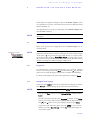
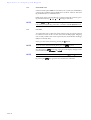
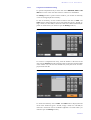
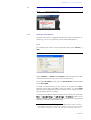
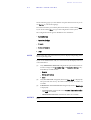
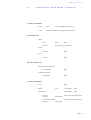
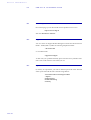
Programming of a Quick Dial key:
- Entering the phone number
- Pressing SHIFT + 3
- Selecting the desired Quick Dial key
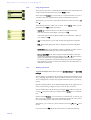
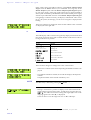
1 ÎD I S CO N. 2 ÎD I S CO N. ^
03012345678
The SHIFT key allows a shifting to the 2. Quick Dial Keys level.
If the SHIFT key is pressed the character ’^’ is displayed in the
upper right corner.
SHIFT
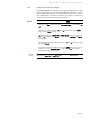
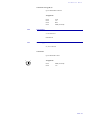
Additionally, the following special function are programmed:
SHIFT + 1: Activating/Deactivating the sending of DTMF
tones in channel 1 a
SHIFT + 2: Activating/Deactivating the sending of DTMF
tones in channel 2
SHIFT + 3: Programming of the Quick Dial keys
SHIFT + 4: not used
SHIFT + 5: Display of the software version
SHIFT + 6: Shift display of phone number (name)/
display of level meter
ÃÃ
ÄÄ
Ã
Ä
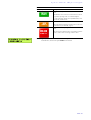
Via these two keys you can scroll 5 entries upwards respectively downwards in the phone book.
Via these two keys you can scroll 1 entry upwards respectively
downwards in the phone book.
This button drops the connection of the respective channel.
There is no request for confirmation.
DROP
HYBRID 1/2
PAGE 100
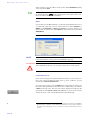
If no connection exists the line can be locked by pressing the
key. Now the status LOCKED is displayed. The line is unlokked by pressing the key a second time. This function is only
available in the ISDN operating mode.