1
Before You Begin
Nucoda and Phoenix 2014 Install Manual
Before You Begin
Upgrading
Backup
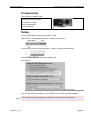
If you are upgrading your software from a previous major version, make a backup copy
of important files and folders. This should include any project folders and preference
files.
alert!
Do not upgrade in the middle of a job unless you have a specific reason to do so or
are instructed to do so by the Digital Vision Support Department.
Preference Files
Preference files are stored under the ROOT folder. See the ROOT Folder chapter.
Preference files are stored per user and for all users in the Users folder under
ROOT. See the User Login and Preferences chapter.
Projects
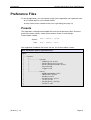
Projects are stored in a location set in the general.prefs preference file by the
parameter projectRootDir. See the section Software Preferences on page 37.
Compatibility
A best effort is made to preserve project and note compatibility between each
consecutive major release (e.g. 2013.1 to 2013.2).
Parallel Installs
You can install a new major release in parallel with the previous without affecting your
current installation.
IM-2014_1-1.0
Page 8