1
Operating the Equipment Locally
3.7.2
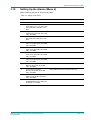
Selecting the Video Component
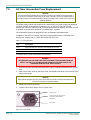
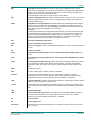
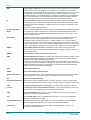
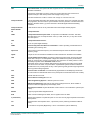
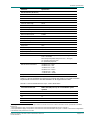
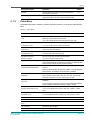
Table 3.10: Selecting the Video Component
3.7.3
Step
Action
Result
1
Go to Menu 3.1 and press Edit. Select one of
the video streams or enter a video stream PID.
Selects the video component.
2
Scroll to Menu 3.1.5 and edit the parameter for
setting the response to loss of video (FREEZE
FRAME, BLACK FRAME, BLUE FRAME, NO
SYNCS, 75% BARS AND RED, BLUE PLUS
TEXT, RED PLUS TEXT). Press Save.
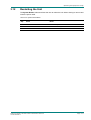
Perform a system restart (see Section 3.12
Restarting the Unit).
Edits the parameter for setting the response to loss of video.
3
Scroll to Menu 3.1.6 and edit the video test
pattern to be displayed. Press Save.
Edits the video test pattern to be displayed.
4
Scroll to Menu 3.1.7 and edit the parameter for
framesync enable (ENABLED or DISABLED).
Press Save.
Edits the parameter for framesync enable.
5
Scroll to Menu 3.1.7.1 and edit the PAL
framesync offset range (-199999 to +199999
pixels) and the NTSC framesync offset range
(-199999 to +199999 pixels). Press Save.
Edits the PAL framesync offset range and the NTSC framesync
offset range.
6
Scroll to Menu 3.1.11.1 and edit the
embedded audio data IDs (0X0 – 0xFFF) and
audio channel (NONE, ONE, TWO, or ONE
and TWO). Press Save.
Edits the embedded audio data IDs and audio channel.
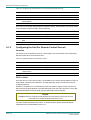
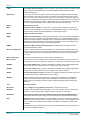
Selecting the Audio Component
Introduction
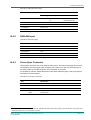
Automatic audio component selection is based on component order in the PMT as follows:
•
•
•
Audio 1 selects the first component in the PMT, Audio 2 selects the second component,
Audio 3 selects the third component and Audio 4 selects the fourth component.
Audio 1 does not select the same component as Audio 2 and vice-versa when
component-PIDs are reordered in a new PMT.
Coding type and language are manually selectable through the User PID and type
parameters.
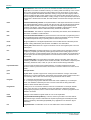
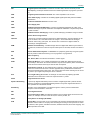
Selecting the Audio Manually
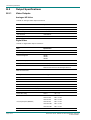
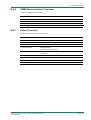
It is possible to manually select any audio component from the active Service by using the
front panel controls or via the remote control interface. Select one of the audio components in
the list or enter the correct PID. Table 3.11 describes the procedure for selecting a
component.
Page 3-10
Reference Guide: RX1290 H.264 Contribution Receiver
ST.RE.E10228.1