1
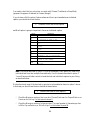
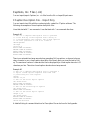
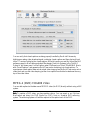
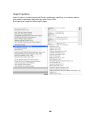
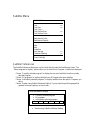
The Program button allows you to toggle between six separate caption text areas. The area that is
currently selected is the one in which MacCaption will place its text when it does import
operations. Unless you are captioning a video with two channels, such as English language
closed captions and Spanish language closed captions, there is no need to use any Program other
than Program A.
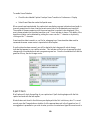
To make a copy of an existing Program including all of its text and time codes to another
program, use the Duplicate Program option in the Edit menu.
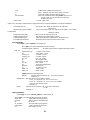
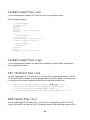
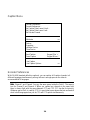
Copy to Program A
Copy to Program B
Copy to Program C
Copy to Program D
Copy to Program E
Copy to Program F
This option will allow you to copy all the time codes and positional information from one
language (for example, Program A) to another language (for example, Program B). Now you can
translate the text (Program B) to another language.
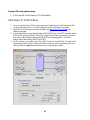
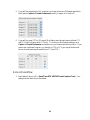
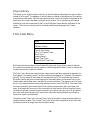
Once all of the individual Programs have been synchronized to a movie use the Encode
Preferences option in the Special menu to assign each Program to a specific closed caption
channel. For example, you may want to assign Program A to CC1 and Program B to CC3. If
desired, it is also possible to encode Program A to more than one CC channel.
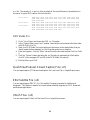
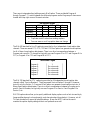
CC1 and CC2 are both transmitted in the Odd Field of a video frame and CC3 and CC4 are both
transmitted in the Even Field of a video frame. Due to closed caption bandwidth considerations it
is important to keep in mind that two closed caption programs containing a lot of text may
appear fine when placed in CC1 and CC3 but may appear later than their intended display time
when placed in CC1 and CC2 or CC3 and CC4. As with all closed captioning a careful view of
the final output tape containing all closed captioned channels is a good idea.
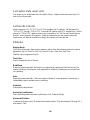
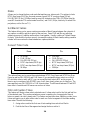
Decode Preferences
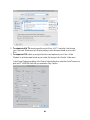
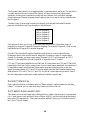
Opens a window that has a checkbox option to "Remove erase if caption blanking is less than __
frames." If checked, you can input how many frames you'd like to set it to.
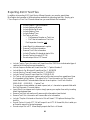
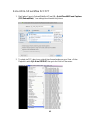
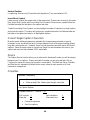
Set Caption Data Lowest Limit…
This allows you to set the lowest limit or starting time for caption data to begin in your exported
file. Certain exports, such as Black Movie or Matrox 4VANC, use this time code as the starting
time code of the exported file. Please see the section entitled Captioning a Commercial Spot in
the A Short Tutorial chapter.
118