1
PF Series Instruction Manual
BASIC FUNCTIONS (continued)
Sound Improvement
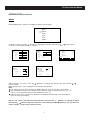
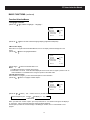
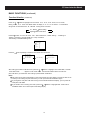
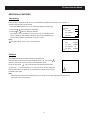
1. To seIect sound modes
Press the SOUND button repeatedIy to seIect one of the Speeh, Music, Theater and
Memory modes.
SOUND
Speech
Music
Theater
Memory
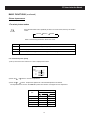
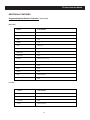
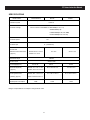
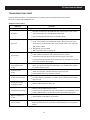
Refer to the foIIowing introduction about each mode.
Mode
Sound Quality
Speech
Language clarity improvement, suitable for program focusing on dialogue
Music
Suitable for enjoying music programs
Theater
Movie-like sound setting, suitable for enjoying dynamic sound, such as
programs of entertaninment
Memory
Sound quality users set
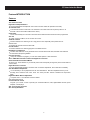
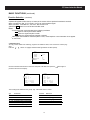
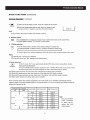
2. To set desired sound quaIity
1) Call up the Audio menu.
Audio
Bass
Treble
Balance
Surround Low
AVC
Off
MTS
Mono
2) Press the
3) Press the
/
/
31
31
30
buttons to select an adjustment.
buttons to adjust the digital Ievel of the seIected item as desired.
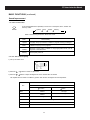
The adjusted Ievel is stored in the Memory position and remains unchanged untiI next adjustment.
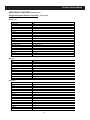
Sound Quality
ltem
Press
button
button
Bass
Weaker
Stronger
Treble
Weaker
Stronger
Balance
Decrease the right volume
Surround
Decrease the left volume
Off, Low, High
AVC
Off, On
MTS
Refer to “Stereo selection”.
20