1
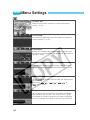
MENU Custom Function Settings
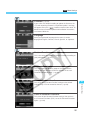
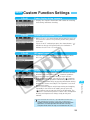
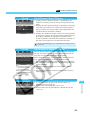
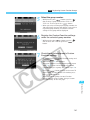
C.Fn-14
Auto reduction of fill flash
0: Obtains a natural-looking fill-flash automatically.
1: This prevents underexposure of a subject in front of a strong
backlight such as a sunset.
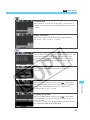
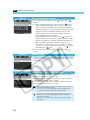
C.Fn-15
Shutter curtain synchronization
1: By using a slow sync speed, you can create a light trail
following a moving subject. The flash fires right before the
shutter closes. This Custom Function can be used to obtain
2nd-curtain sync effects even with EX-series Speedlites
which do not have this capability. If an EX-series Speedlite
having this capability is set for 2nd-curtain sync, it will
override this Custom Function.
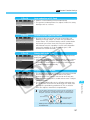
C.Fn-16
Safety shift in Av or Tv
Safety shift can be set for the shutter-priority AE and aperturepriority AE modes.
1: If the subject’s brightness changes suddenly and the current
shutter-priority AE or aperture-priority AE setting becomes
unsuitable, the shutter speed or aperture is shifted to obtain
a suitable exposure automatically.
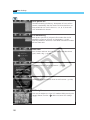
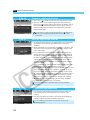
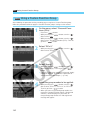
C.Fn-17
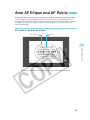
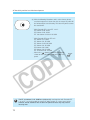
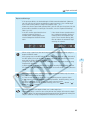
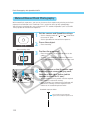
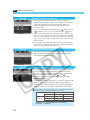
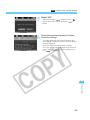
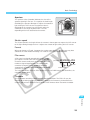
AF point activation area
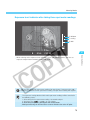
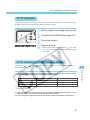
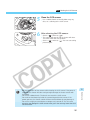
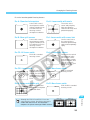
AF point activation area centers on the selected AF
• The
point. Therefore, if a peripheral AF point is selected, the
AF point activation area will be smaller as shown below.
7-point
activation area
13-point
activation area
Selected AF point
Activation area
C.Fn-13 together will also expand the AF point
• Setting
activation area.
137
8
Menu Settings
1: The AF point activation area expands by one point all around
the manually-selected AF point. A total of 7 AF points
become active. This setting is effective for when only one
manually-selected AF point is unable to focus track a subject
moving erratically.
2: The camera automatically sets the AF point activation area
to 7 or 13 points to suit the lens focal length, AF mode, and
the subject’s speed during predictive AF. This is effective
when the subject’s movement is unpredictable.