1
2
USER GUIDE
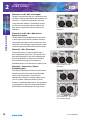
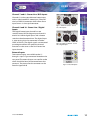
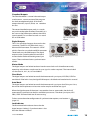
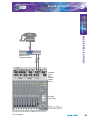
Channels 1 and 2 Mic / Line Inputs
USER GUIDE
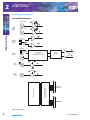
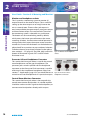
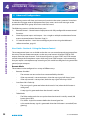
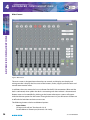
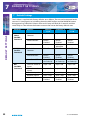
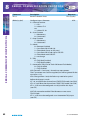
The Mic/Line Input channel is a mono input with
a button switch to select either Mic or Mono Line.
Channel 1 is used for the presenter’s mic and
is the source for talkback. The Talkback source
can be set to come from either the Mic or the
Line source irrespective of the channel input
selection.
Fig 2-5: Channels 1 and 2 Mic /
Line Inputs
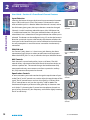
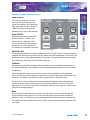
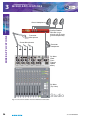
Channels 3 and 4 - Mic / Mono Line /
Stereo Line Inputs
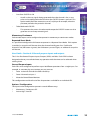
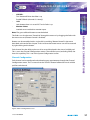
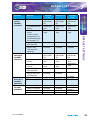
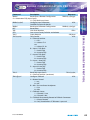
The Mic/Mono Line/Stereo line Input channel is
a stereo input channel with a button switch to
select either Mic, Mono Line or Stereo Line. The
stereo line is fed through a jack connector which
is found in the centre of the XLR line connectors.
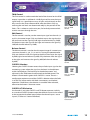
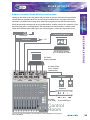
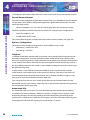
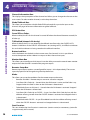
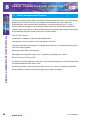
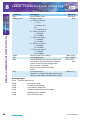
Channel 5 - Mic / Telco Input
The telco channel is used to interface the S1
with a telephone hybrid unit. The hybrid unit is
connected through an XLR with a Microphone
channel provided as an alternative. The telco
channel connector group also contains a
cleanfeed output via XLR to return to the Hybrid.
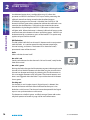
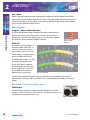
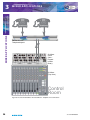
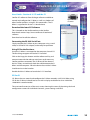
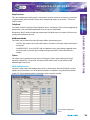
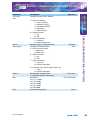
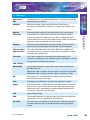
Channel 6 – Stereo Line / Stereo
Cleanfeed Input
Fig 2-6: Channels 3 and 4 - Mic /
Mono Line / Stereo Line Inputs
Fig 2-7: Channel 5 - Mic /
Telco Input
The Stereo Cleanfeed channel has one balanced
stereo input and a balanced stereo cleanfeed
input, on XLR connectors. The channel is
intended for use where a remote stereo source,
such as another studio connected via ISDN,
requires a stereo cleanfeed return. The cleanfeed
is generated by a separate stereo cleanfeed bus
which follows the PGM output routing matrix.
Fig 2-8: Channel 6 – Stereo Line /
Stereo Cleanfeed Input
10
S1 User Handbook