1
11
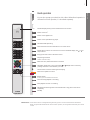
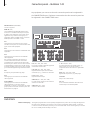
TV
TV
Press
Press
or
Select
+
Activate
numbers
0–9
Hold for
channel list
Select page
Press
Press
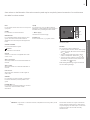
Turn
Turn TV
Select previous channel
+
Turn or
0
Select
channel
Previous channel
Hold for
channel list
Select page or channel and accept
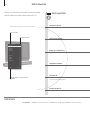
Adjust
volume up
or down
Press in the Press in the middle to
middle to
bring sound back
mute sound
or
Accept
Turn either way to bring back the sound
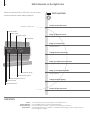
or
0–9
Select
0–9
Activate numbers
Select
channel
Adjust volume. To mute, turn quickly
counter-clockwise
Stand
or
Previous
Select channel
or
Press
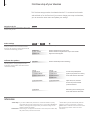
Daily use
Beo4 operation
Position
1…9
Select position*1
or
LIST
Press to find Bring up
STAND
STAND
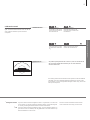
Turn TV
1–9
Select
position*1
Press
NOTE! To use the stand function, you have to
calibrate the stand first, see p. 27. To preset positions
for the TV to turn to, see p. 27.