1
inserting. 4-3
power indicators. 7-I
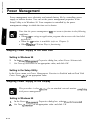
power management
disabling, 3-l I
stopping power supply to the display. 3-8
stopping power supply to the hard disk.
3-8
power source. 2-I
power switch. 2-3
properties dialog box. t-3
running, 7-I
Security menu. 7-S
using, 7-2
shutting down the system. l-4
supervisor password. 6-I
suspend modes. 3-9
entering, 3-9
Suspend-to-disk mode. 3-9
resuming from. 3-10
Suspend-to-RAM mode. 3-Y
resuming from, 3-10
R
reset switch. 2-3
resetting. Z-3
RS-23X device. -I- IO
S
security slot. 6-J
setting up Windows 98. I-3
Setup Utility
Advanced menu. 7-J
entering and exiting, 7-l
Exit menu. 7-7
Main menu, 7-3
Power menu. 7-6
T
turning power on. I-I
U
USB device. 1-9
user password. h-l
W
Warm Boot. 2-3
Windows Logo Keys. 2-6