1
Setting Up the Projector
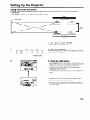
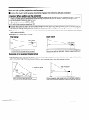
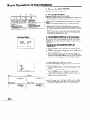
Using the Focus and Zoom
l
l
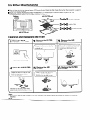
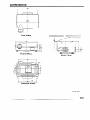
Zoom, Focus and Reversed/Inverted Image mode functions broaden your options for projector
placement.
See pages 7,9 and 10 for details on projector setup.
SIDE VIEW
Invert
image
Table setting
.
r
Zoom
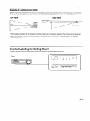
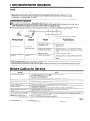
1. Turn ON the MAIN POWER.
Press the MAIN POWER switch ON.
2
0
(0
<+I- 0 1
2. Turn on the power.
Press the POWER ON/OFF button on the projector
control to turn on the power.
0
or remote
I
POWER indicator
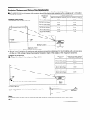
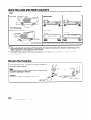
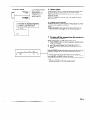
3. Press the LENS button.
3
l
l
-.........-.........=FOCUS=
l
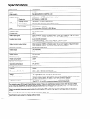
When the LENS button on the remote control or LENS
ADJUSTMENT button on the projector is pressed, the LENS
adjustment mode is indicated for about 8 seconds.
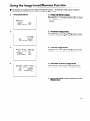
if the LENS (ADJ) button is pressed while the mode is
indicated on the screen, the picture adjustment mode
changes as shown on the left.
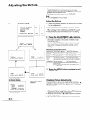
You can adjust the picture as shown on the left by pressing
the ADJUSTMENT (4) or (b) buttons while in ADJUST
mode.
l
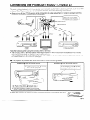
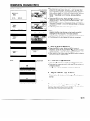
Adjust the focus until the picture on the screen is sharp.
l
The focus pattern appears on the screen.
l
The picture can be adjusted to the desired size within the
zoom lens range.