1
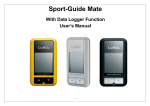
FAQ Q1: Why can’t my GP‐102 get a position fix? A1: Make sure the GP‐102 is operated outdoors with the LCD display facing upward and there is a good sky view with less obstruction. Q2: Why does the time to determine my location vary? A2: In an open sky environment, it will be very fast to get a position fix if the GP‐102 has recently been used (within 2 hours); otherwise it will take about 30 to 40 seconds. Under tree foliage or beside tall buildings where satellite signal is attenuated, it may take up to several minutes before the location can be determined. Q3: Why can’t my GP‐102 accurately point to the north in the compass mode? A3: Make sure the GP‐102 has been calibrated and there is no large metal object in the vicinity. The digital compass inside a GP‐102 includes a magnetic sensor, whose accuracy will be affected by nearby metallic objects. Q4: Why doesn’t the direction arrow of my GP‐102 work properly when used inside a slow moving car? A4: At speed below 10km/hr, the GP‐102 uses the internal digital compass to calculate direction to the return point; if you are inside a car, the metallic structure of the car will affect the accuracy of the digital compass so the direction may be wrong. When the speed is over 10km/hr, the GP‐102 will automatically switch to GPS to calculate direction; as long as you hold the GP‐102 in normal forward direction, the direction triangle will correctly point to the return point. Q5: What do those arcs of the satellite icon represent? A5: The arcs of the satellite icon indicate the quality of position fix. More arcs mean more satellite signals and better position accuracy. In a weak signal environment, you can try to wait a while longer to see if more arcs will show up before marking the location so the accuracy of the marking can be increased Q6: Will my GP‐102 remember the stored locations after powering off? A6: You can turn off your GP‐102 to save power and all the settings will be saved. Next time when it’s turned on, you will be in the last operating mode with all marked locations restored. The memory won’t be lost even if the battery is fully drained. CANMORE ELECTRONICS CO., LTD. www.canmore.com.tw