1
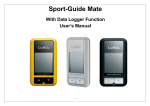
BEFORE USE Checking Items The GP‐102 package contains following items: GP‐102 device User’s guide USB cable for charging Charging Battery It takes about 3 hours to fully charge the internal battery. First connect the USB cable mini‐USB connector to the USB port of the GP‐102. Then connect the other USB cable connector to USB port of a PC or laptop to provide charge power. While charging, the charging status indicator will light up. After the GP‐102 is fully charged, the charging status indicator will turn dark. The USB cable can then be removed. Powering On The GP‐102 is to be used outdoors; it will not work inside buildings. Press and hold Power/Mode key for 2~3 seconds. The backlight will turn on and full LCD screen will be displayed. Momentarily, direction arrow formed circle will blink twice, and then satellite icon will start blinking, with distance showing blank. At this stage the GP‐102 is trying to acquire satellite signal. CANMORE ELECTRONICS CO., LTD. www.canmore.com.tw