1
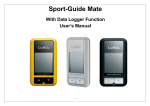
 After satellite signal is acquired and your current position has been determined, the GP‐102 shows non‐blinking satellite icon with arcs
; more arcs meaning better signal quality with more satellites used for an accurate position fix. The GP‐102 is now ready to be used. The time it takes to reach position fix from powering on, after several hours of unused period, may vary from 30 seconds to couple minutes, depending on the surrounding environment. Places with unobstructed sky view will result in faster position fix. If the GP‐102 had been previously used within the 2 hour period before powering on, the time to reach position fix will be very short. Calibrating Digital Compass The internal digital compass requires calibration for first time use, or when the GP‐102 has been moved 100miles (160km) from the place of last calibration. 1. Lay the GP‐102 on a flat surface with LCD facing up and no metal object nearby. 2. Click Power/Mode key to select the compass mode with compass icon showing. 3. Press and hold Mark key for 2~3 seconds, the LCD will display a 20 second count down. 4. Within the 20 seconds, slowly rotate the GP‐102 360degrees twice, either clockwise or counterclockwise. 5. After the countdown is finished, the LCD will display the direction triangle and heading number once again. CANMORE ELECTRONICS CO., LTD. www.canmore.com.tw