1
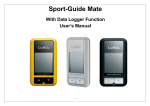
USING GPORTER/GP‐102 After powering on the GP‐102, you can select one of the four different operating modes by clicking the Power/Mode key and the corresponding icons will show up on the display one after another. 1. Homing mode : Use the GP‐102 to mark 5 locations of your choice and later get back to the locations easily. Five different icons (Home, Car, Waypoint, Favorite Spot, and Restaurant) are used to help identify the locations. 2. Compass mode 3. Clock mode 4. Satellite mode : Use the GP‐102 as a compass. : Use the GP‐102 as a timepiece. : Use the GP‐102 to check the satellites. Marking a Location 1. Click Power/Mode key to select one of the location icons (Home, Car, Way Point, Favorite Spot, Restaurant) for storing the current location. 2. Make sure satellite icon is not blinking. 3. Press and hold Mark key, wait until the circle of direction arrows shows up and then release Mark key. 4. The current location coordinate is stored with the selected location icon. CANMORE ELECTRONICS CO., LTD. www.canmore.com.tw