1
EMS 5000 FIREPOINT
4
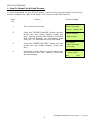
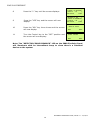
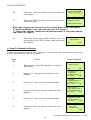
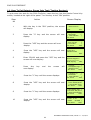
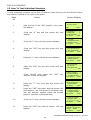
Press the “YES” key and the screen will now
display:
5
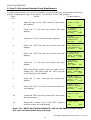
Press the “∇” key until the screen displays:
6
Press the “YES” key and the screen will now
display:
|** Fire system **
|
>Dev. Disable/Test <
| Net. Disable/Test |
Yes= Select
Time
| System Mode
|
>Engineers Config <
| Printer Options
|
Yes= Select
Time
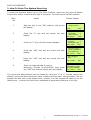
Enter Your PIN
For Access>
Then Press YES
Time
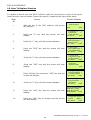
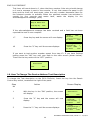
Press 221100 then press the “YES” key and
the screen will display:
|** Eng. Config **
|
>Device Database <
| Sounder Options |
Yes= Select
Time
8
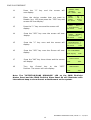
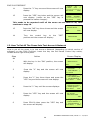
Press the “YES” key and the screen will now
display:
|* FIRE DATABASE * |
>Device Number 001 <
|Default Device 001 |
Yes= Select
Time
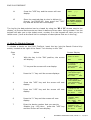
9
Press the “0” key and the screen will now
display:
Enter Device
(Numbers 1-256)
Number > _
YES = Finish
Time
10
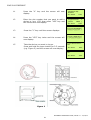
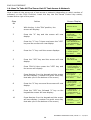
Enter the device number that you want to edit
(e.g. 25) then press the “YES” key and the
screen will now display:
|* FIRE DATABASE * |
>Device Number 025 <
|Default Device 025 |
Yes= Select
Time
11
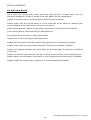
Press the “∇” key once and the screen will
display:
|Device Number
>Default Device
|Device Zone
Yes= Select
12
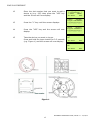
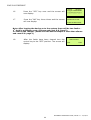
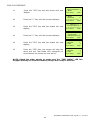
Press the “YES” key and the screen will now
display: Enter your text description using the
Function table. (the character selector is
underneath M)
|Default Device 001 |
|
|
4<HIJKL M NOPQRS>6
|
7
025 |
025 <
01 |
Time
ENGINEERS OPERATING GUIDE, ISSUE 3.0 – 16/08/10
33