1
Using the Command-Line Interface in Cisco IOS and Cisco IOS XE Software
Using the CLI
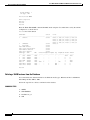
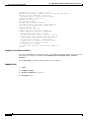
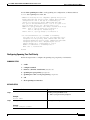
To view both default and user-created aliases, issue the show alias command.
For more information about the alias command, see
http://www.cisco.com/en/US/docs/ios/fundamentals/command/reference/cf_book.html.
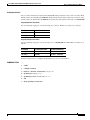
Using the no and default Forms of Commands
Most configuration commands have a no form that is used to reset a command to its default value or
disable a feature or function. For example, the ip routing command is enabled by default. To disable this
command, you would issue the no ip routing command. To re-enable IP routing, you would issue the
ip routing command.
Configuration commands may also have a default form, which returns the command settings to their
default values. For commands that are disabled by default, using the default form has the same effect as
using the no form of the command. For commands that are enabled by default and have default settings,
the default form enables the command and returns the settings to their default values.
The no and default forms of commands are described in the command pages of command references.
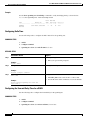
Using the debug Command
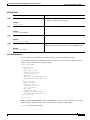
A debug command produces extensive output that helps you troubleshoot problems in your network.
These commands are available for many features and functions within Cisco IOS and Cisco IOS XE
software. Some debug commands are debug all, debug aaa accounting, and debug mpls packets. To
use debug commands during a Telnet session with a device, you must first enter the terminal monitor
command. To turn off debugging completely, you must enter the undebug all command.
For more information about debug commands, see the Cisco IOS Debug Command Reference at
http://www.cisco.com/en/US/docs/ios/debug/command/reference/db_book.html.
Caution
Debugging is a high priority and high CPU utilization process that can render your device unusable. Use
debug commands only to troubleshoot specific problems. The best times to run debugging are during
periods of low network traffic and when few users are interacting with the network. Debugging during
these periods decreases the likelihood that the debug command processing overhead will affect network
performance or user access or response times.
Filtering Output Using Output Modifiers
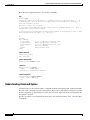
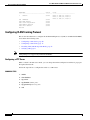
Many commands produce lengthy output that may use several screens to display. Using output modifiers,
you can filter this output to show only the information that you want to see.
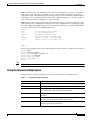
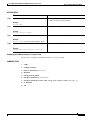
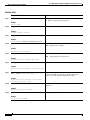
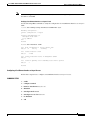
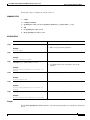
Three output modifiers are available and are described as follows:
x
•
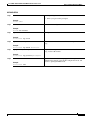
begin regular expression—Displays the first line in which a match of the regular expression is found
and all lines that follow.
•
include regular expression—Displays all lines in which a match of the regular expression is found.
•
exclude regular expression—Displays all lines except those in which a match of the regular
expression is found.