1
Quarantine Management
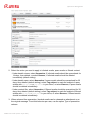
To add a custom rule:
1. Select a filter criterion from the drop-down list:
- subject contains: allows or blocks emails containing a certain subject.
- message contains: allows or blocks emails containing a certain string.
- message size larger than: blocks emails exceeding a maximum message size in Kb.
2. Type the text you want to filter for (e.g. Avira Newsletter) or the maximum message
size (e.g. 5120).
3. Select the rule type: block or allow.
4. Click Save, to add the rule.
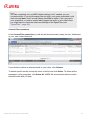
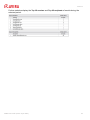
The rules are listed under Custom rules, with type-symbols:
block (blacklist) or
allow (whitelist).
To delete a rule, click the X mark in the Delete column and click OK in the pop-up window.
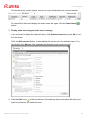
4.2 Setting up virus and spam notifications
1. To schedule a report, select a User then click the Report tab.
AMES User Guide (Status: 24 Jan 2012)
27