1
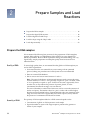
Chapter 4 Analyze the Prepared Chips
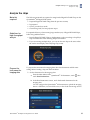
Analyze the chips
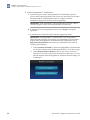
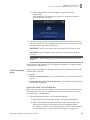
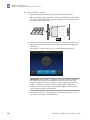
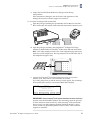
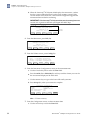
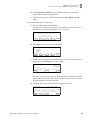
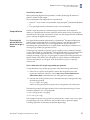
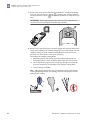
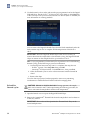
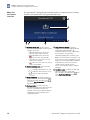
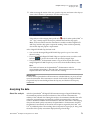
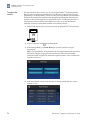
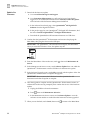
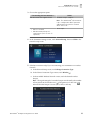
The touchscreen displays the USB drive icon (
Instrument has mounted the USB drive.
4
) when the QuantStudio® 3D
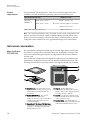
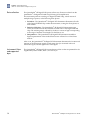
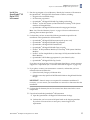
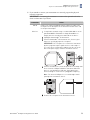
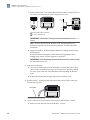
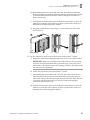
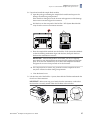
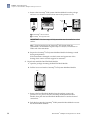
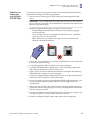
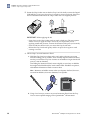
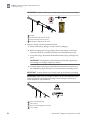
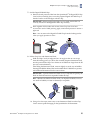
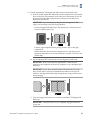
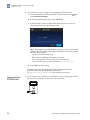
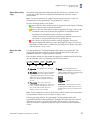
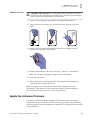
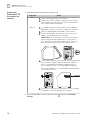
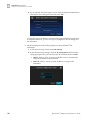
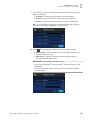
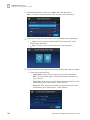
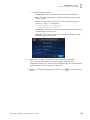
2. Open the chip tray and load the Digital PCR 20K Chip face-up into the tray.
Confirm that the Digital PCR 20K Chip is correctly aligned within the chip tray,
then close it.
Note: The chip tray is keyed such that the Digital PCR 20K Chip will only fit in
one orientation.
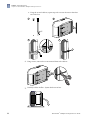
Note: The chip tray is fully closed when it is flush with the front of the
instrument.
2
X0300036
1
2
1
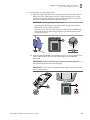
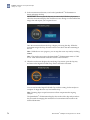
Orient the chip ID and fill port toward the front of the instrument.
Confirm that the chip window is clean and correctly aligned to the chip.
QuantStudio® 3D Digital PCR System User Guide
71