1
2: ISS3112-RP2 Server, MIS JBOD and IS2224 JBOD NAS System Hardware Installation
Installing MIS JBOD Enclosures
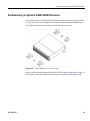
After a shipment has been inspected (“Inspecting a Shipment” on page 11) and acclimated
(“Acclimatization” on page 21) to the location, there are two scenarios for installing the JBOD
enclosure. One way is to install the platforms into a rack that is already on location (D-Rack or
other supported rack systems). The next scenario is installing MIS NAS platforms that have been
shipped in an SGI D-Rack. In this scenario, the chassis are already installed into the rack, and the
drives were shipped separately.
To install an MIS NAS JBOD platform into a rack that is already on location, first locate all boxes
in the shipment. There should be a single box that holds each chassis and multiple boxes with
drives for each chassis (each box holds up to 20 drives).
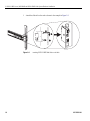
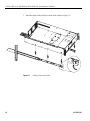
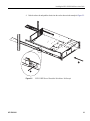
Next, the rolling rails that support the JBOD chassis in the rack must be installed, and the chassis
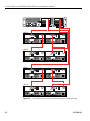
placed into the rack, following the rack placement guide provided in the cabling guide (page 39).
These procedures require two people.
Once the chassis is installed into the rack, the drives can be installed into their carriers, and the
drives with carriers can be installed into the system. Following this, the chassis can be returned to
the rack in the stowed position. When that is complete, the system can be cabled and powered on.
If there are no faults, the system can them be zoned to its desired configuration.
To install a system that is shipped in a D-Rack, first locate all boxes in the shipment. There should
be a single box that holds the D-Rack and multiple boxes with drives for each chassis (each box
holds up to 20 drives). Go straight to the instructions for “Sliding the Chassis
Forward/Backwards” on page 34, and continue following the instructions from there.
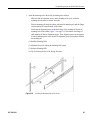
D-Rack Stiffener
Note: The following procedure is for installing into a D-Rack already on location, where the
installer is required to install the outer rails into the SGI D-Rack. These instructions are for SGI
D-Racks on location ONLY. SGI D-Racks shipped with an NAS JBOD chassis inside will come
pre-installed with rolling rails and a D-Rack Stiffener.
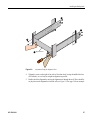
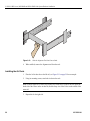
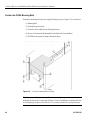
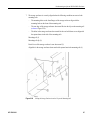
If you are installing rails into an SGI D-Rack on location, it will require installation of the D-Rack
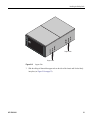
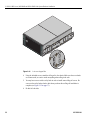
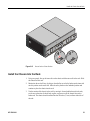
Stiffener (Figure 2-6 on page 23). This item is two brackets with a wedge-shaped cut-out and
interlocking tabs. These two pieces come together to form a single unit, held together by a top bolt.
Orient the two pieces together so that the tabs of both pieces will eventually face outward, towards
22
007-5923-001