1
ENGLISH
INTRODUCTION
•
•
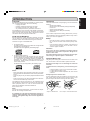
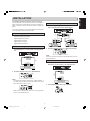
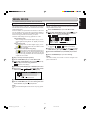
Do not use record cleaner to clear a disc, as this will adversely affect the disc surface.
Store discs properly by placing them in their disc cases.
•
Do not attach a piece of paper or sticker on the label side of
disc. When a disc has a piece of plastic tape or rental CD
label with paste protruded from the edge or when a disc has
a trace of such a sticky object, do not attempt to play the disc.
If such a disc is played on the CD player, impossibility of taking out the disc or other malfunction may result.
•
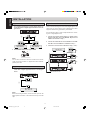
Write only on the printed side of a CD-R or CD-RW, and only
with a soft felt-tipped pen.
•
Do not use a disc with a special shape.
•
Do not attempt to play a disc with a special shape such as a
heart-shaped disc or octagonal disc. Otherwise the equipment malfunction may result.
Maintenance
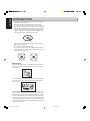
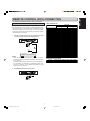
Clean the CD-Recorder with a soft, slightly dampened lint-free
cloth. Do not use any cleaning agents as they may have a corrosive effect.
Do not expose the CD-Recorder, batteries or CDs to humidity,
rain, sand or excessive heat (caused by heating equipment or
direct sunlight).
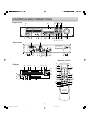
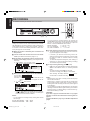
CD RECORDER
CDR631
IR
REC MODE
Recordable
ReWritable
TR.INCR.
RANDOM
DELETE
FINAL
POWER
ERASE
CANCL
REPEAT
STORE
MENU
STANDBY
TIME
HEADPHONE
1
2
3
4
5
PROG
6
7
8
9
0
INPUT
LEVEL
TEXT
0
10
REC LEVEL/SELECT
PUSH ENTER
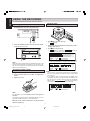
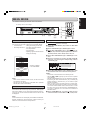
If the CD-Recorder in unable to read CDs correctly, use a commonly available cleaning CD to clean the lens before taking the
CD player to be repaired. Other cleaning methods may destroy
the lens. Always keep the tray closed to avoid dust on the lens.
The lenses may cloud over when the CD-Recorder is suddenly
moved from cold to warm surroundings. It is not possible to play
a CD then. Leave the CD-Recorder in a warm environment until
the moisture evaporates.
2
CDR631(U)_Eng_P01-11.p65
2
8/4/00, 9:29 AM