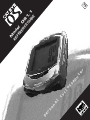
1
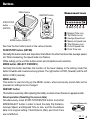
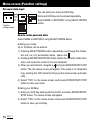
Buttons
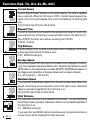
MENU button
RESTART button
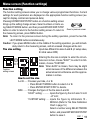
Measurement icons
START/STOP
button
(ENTER)
REV
FWD
MODE button (SELECT)
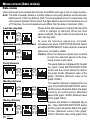
See how the four buttons work in the various modes.
1
2
3
4
5
6
7
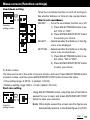
Elapsed Time icon
Trip Distance icon
Average Speed icon
Maximum Speed icon
Total Distance icon
Current Speed icon
Clock Time icon
START/STOP button (ENTER)
Normally this button starts and stops timer that effects the other functions like average speed,
etc. When measuring, the speed scale icon flashes.
While setting up the unit this button enters and completes each selection.
MODE button (SELECT: FWD/REV)
Normally this button switches the function of the lower display. In the setting mode this
button forwards and reverses among options. The right button is FWD (forward) and the left
button is REV (reverse).
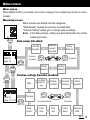
MENU button
This button is used to bring up the MENU screen, where previously stored data can be
reviewed or settings can be changed.
RESTART button
This button is used only after replacing the battery or when screen freezes or appears erratic.
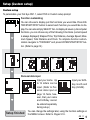
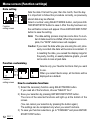
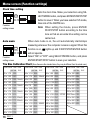
Reset operation (Resetting the screen data)
Simultaneously press START/STOP/ENTER button and either
MODE/SELECT button in order to reset the daily Trip Distance,
Average Speed, and Elapsed Time to zero, and the Countdown
data to its original setting. Total Distance (Odo) and Clock Time
are not effected.
Press simultaneously
OS 1.1
3