1
Chapter 4 ________________________________________________________________ Operation
0802-114
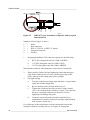
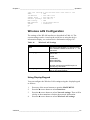
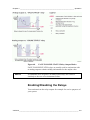
Figure 61
Web Configuration Interface for WLAN
Terminal Program Settings
The instructions below describe how to connect to the DMT340 using the
PuTTY terminal application for Windows. Perform the necessary cabling
and configuration of the transmitter before following the instructions.
PuTTY is available for download at www.vaisala.com.
Opening a Serial/USB connection
1.
2.
Power up the DMT340 and start the PuTTY application.
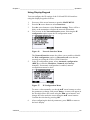
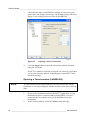
Select the Serial & USB settings category, and check that the
correct COM port is selected in the Serial or USB line to connect
to field. Change the port if necessary.
If you are using a Vaisala USB cable, you can check the port that it
uses by clicking the USB Finder... button. This opens the Vaisala
USB Instrument Finder program that has been installed along with
the USB drivers.
VAISALA _______________________________________________________________________ 91