1
DVDO Matrix6 6x2 4K Ultra HD HDMI Matrix Switcher
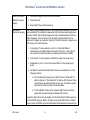
Source is not
recognized by
Matrix6
No video
Firmware will not
update from the
USB flash drive
Factory Default
issues:
If a source does not cause the corresponding input LED to light with an amber color
(indicating that an active source is plugged in to an HDMI port), move that source to
HDMI Input 5.
•
Check that the source is not forced to a resolution that your display cannot
handle
•
Check all HDMI cables are firmly plugged in on both ends
•
Try changing inputs on Matrix6 and back to reset the capability tables
•
Try using a custom EDID if your display is capable of 1080p using the EDID
mode in the Matrix6 Advanced Settings menu.Matrix
•
Be sure both firmware files .OSD and .BIN are in the root directory of the USB
flash drive and there are no other firmware files there.
•
Be sure both files are for the same firmware version (same number)
•
Be sure all capital letters are used in the filenames including the extension –
format will be M6FWxxxx.BIN and M6FWxxxx.OSD where xxxx is a 4 digit
number common to both filenames
•
When writing the files to the USB flash drive, choose Eject from the right click
menu to insure properly closed and written files before removing drive from a
computer
•
When updating with the firmware Update button, unplug all HDMI connections
from Matrix6. Remove power from Matrix6. Hold firmware update button and
apply power., Matrix
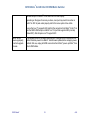
Follow reset procedure exactly:
1. Choose Factory Settings from the Advanced Setup menu on Matrix6
Slow response after
DVDO Matrix
6
21
A.04