1
Crestron CNX-DVP4
Digital Video Processor
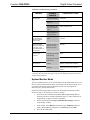
Slot 2: C2I-COM5-2
The CNX-DVP4 provides four ports that enable and configure RS-232 two-way
serial communication and logic, and one port for serial mouse and RS-232 touch
sensitive devices. To view the ports, expand Slot 2: C2I-COM5-232 is under the
CNX-DVP4 icon on the lower window of System Views. Refer to “CNX-DVP4
Symbols in Programming Manager” on page 44.
Slot 3: C2Net-Device
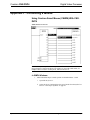
The C2Net-Device slot enables the CNX-DVP4 to control up to 252 Cresnet devices.
Each Cresnet device is assigned a unique identifier called a Net ID, which is a
hexadecimal value ranging from 03 to FE.
To view the list of supported devices, expand the control system in the bottom pane
of System Views and double-click the C2Net-Device slot, or right-click and select
Add Item from the submenu. Supported devices include network control modules
and a variety of Crestron wired touchpanels.
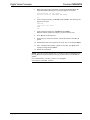
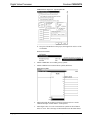
To add a device to the system expand the C2 Net-Device slot and double-click the
desired Net ID, or right click and select Add Item from the submenu. Then select the
device you want to add. Alternatively, you can drag the device from the Cresnet
Modules folder onto the Net ID.
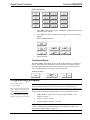
In Program Manager, the C2Net-Device symbol contains no signals; to program a
controlled Cresnet device, expand the C2Net-Device symbol in Program View. Then
drag the device to Detail View.
Slot 4: C2ENET-1
The C2ENET-1 port enables the CNX-DVP4 communication through Ethernet to
control up to 252 Ethernet devices. Each Ethernet device is assigned a unique
identifier called an IP ID, which is a hexadecimal value ranging from 03 to FE.
To view the list of supported devices, expand the control system in the bottom pane
of System Views and double-click the C2ENET-1 slot. Supported devices include
Ethernet control modules, PC and Web browser interfaces, and a variety of Crestron
Ethernet touchpanels. To add a device to the system expand the C2ENET-1 slot and
double-click the desired IP ID, or right-click and select Add Item from the submenu.
Then select the device you want to add.
In Program Manager, the C2ENET-1 symbol contains no signals; to program a
controlled Ethernet device, expand the C2ENET-1 symbol in Program View. Then
drag the symbol to Detail View. (Alternatively, you can double-click the symbol.)
Slot 5: Front Panel
Slot 5 is a physical representation of the built-in front panel. No programming is
required.
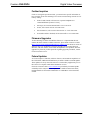
Remote Processing Mode (Slave mode)
In the Remote Processing Mode, the CNX-DVP4 does not contain a main control
system program. The program is installed in a 2-Series control system. The slots and
Cresnet devices are accessed solely from the host control system that generates all
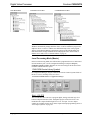
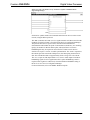
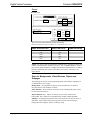
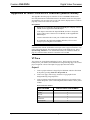
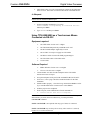
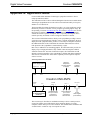
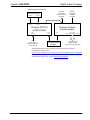
the proper network packets to control the hardware. For example, to utilize a CNXDVP4 as a peripheral for a PRO2, CNX-DVP4 Remote Cresnet Processing is
dropped on the C2Net slot (09). The CNX-DVP4 device appears in the Program
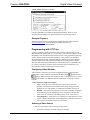
View as ID 54 as shown in the following illustration.
Operations Guide – DOC. 8170A
Digital Video Processor: CNX- DVP4 • 39