1
QuadroCS Manual III: Moderator's Guide
Table of Contents
Manual-I: see Installation Guide
This manual described step-by-step guide to install and configure QuadroCS basically.
Manual-II: see Administrator's Guide
This manual describes in detail the menus available to administrator only.
Manual-III: Extension User's Guide
About this Moderator's Guide ..................................................................................................3
QuadroCS’ Graphical Interface ................................................................................................4
Recurrent Buttons .......................................................................................................................... 5
Recurrent Functional Buttons of the GUI........................................................................................ 5
Entering a SIP Addresses correctly ................................................................................................ 5
Moderator's Menus ..................................................................................................................6
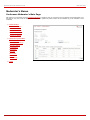
Conference Moderator’s Main Page ................................................................................................ 6
Conference Menu............................................................................................................................ 7
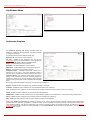
Conference Progress ................................................................................................................................... 7
Activate Conference .................................................................................................................................... 9
Send Notification Mail.................................................................................................................................. 9
Recorded Conferences ................................................................................................................................. 9
Conference Statistics..................................................................................................................................10
Conference Properties Menu......................................................................................................... 12
General Settings ........................................................................................................................................12
SIP Registration Settings ............................................................................................................................13
SIP Advanced Settings ............................................................................................................................13
Recording Settings.....................................................................................................................................14
Customization ...........................................................................................................................................14
Participants...............................................................................................................................................15
New Participants Configuration .................................................................................................................17
Handset Added Participants Configuration ..................................................................................................17
Schedule ..................................................................................................................................................18
Reservation...............................................................................................................................................19
Codecs .....................................................................................................................................................20
AGC Settings.............................................................................................................................................21
Logout .......................................................................................................................................... 21
Feature Codes .......................................................................................................................22
QuadroCS’ Auto Attendant Services.......................................................................................23
Appendix: Glossary................................................................................................................24
QuadroCS (SW Version 3.1.x)