1
DG-M22-12D1P-XA(GB)
2005.12.22 8:4 AM
˘
` 44
mac001
1200DPI 100LPI
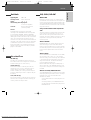
Timer Recording
5
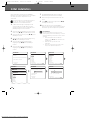
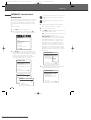
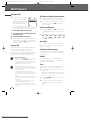
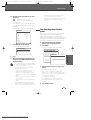
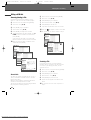
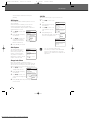
The decoded information appears after
confirmation. You can go back at any time to
change the information by pressing [ENTER].
Select the appropriate input field using […†].
If required, change the information using
[…†].
If all the information is correct, press the
[ENTER] button. The programming information
is stored in a TIMER block.
Timer Recording
PR No. Date Start
PR-03 02/01 13:30
---- --/-- --:----- Edit
--/---:-Timer
---- Media
--/-- --:----- --/-- --:-No. --:----- PR--/----- Date
--/-- --:----- Start
--/-- --:-End
Instructions:
Mode
Enter-Edit
Setup-Exit
Repeat
Delete
Instructions:
End Mode
14:30 HQ
--:-- ----:-- ----:-- ----:-- --PR-03
--:-- ----:--02/Jan
--- Sun
13:30
--:-- --14:30
HQ
Move …†
Once
Enter-Save Setup-Exit
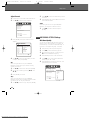
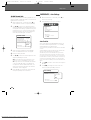
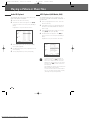
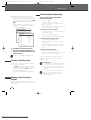
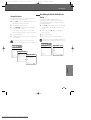
6 Press [SETUP] to exit the Timer Record List.
7 Timer indicator will light or start blinking. You
must power off the HDD/DVD Recorder to start
the Timer Recording.
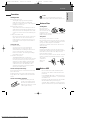
Timer Recording Troubleshooting
Even if a Timer Recording is set, the HDD/DVD
Recorder will not record if:
• No disc is loaded.
• A non-recordable disc is loaded.
• ‘Lock Disc’ is set to ON in the DISC Settings
menu; see page 54.
• There are already 49 titles recorded on the disc
or 254 titles recorded on the HDD.
You cannot enter a Timer Recording if:
• A recording (dubbing, copying) or playing titles
is already under way.
• The start time has already passed.
• Eight Timer Recordings have already been set.
If two or more Timer Recordings overlap:
• The earlier program takes priority.
• When the earlier program finishes, the later
program starts.
• If two programs are set to start at exactly the
same time, the program entered first takes
priority.
Confirmation is not possible when:
• The DISC Lock setting is set to ON.
• There are already 49 titles recorded on the disc
or 254 titles recorded on the HDD.
VideoPlus is not available for some countries.
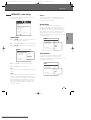
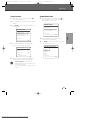
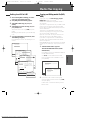
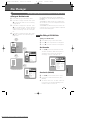
Canceling a Timer Recording
You can clear a Timer Recording any time before
the recording actually starts.
• Use […†] to select the program you want to
erase on the Timer Recorder List, then press
[ENTER] to modify it. Use [œ √] to select
'Delete' then press [ENTER].
Or just press [CLEAR] on the Timer Recorder
List.
Stopping a Timer Recording in
Progress
After a Timer Recording has started, you can still
cancel the program by pressing and holding [STOP]
for 5 seconds.
44
Downloaded From Disc-Player.com Daewoo Manuals
If the disc is damaged, the recording may not
complete successfully, even if the Check field
shows ‘Rec. OK‘.
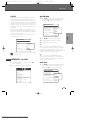
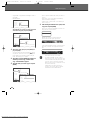
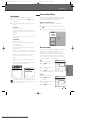
Recording Priority
• Timer Recording and OTR (One Touch Record)
have the same priority but they have lower
priority than manual recording. During manual
recording, Timer Recording or OTR will be
ignored.
The cooling fan continues to work when a Timer
recording is set and VPS/PDC is turned ON,
because the HDD/DVD Recorder has to get time
data from the station.