1
Out of the Box
Quick Look:
> Unpack
> Install batteries
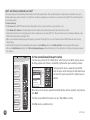
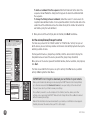
> Tips for using the remote screen
> Remote setup
> On-remote setup of TVs, A/V components, and other devices
1
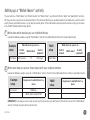
What you’ll be doing by the end of this section:
Controlling your home theater devices
Unpack
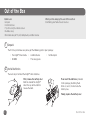
The first step is to make sure you’ve got the following parts in your package:
• The Xsight™ Uno remote
• CD-ROM
2
•
•
4 AAA batteries
This setup guide
•
1 USB adapter
Install batteries
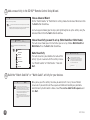
The next step is to install the Xsight™ Uno’s batteries.
First, remove the battery door
from the back of the Xsight™
Uno. Press up on the latch to
release the door.
Then insert the batteries (provided
in this package), matching them
to the (+) and (-) marks inside the
battery case.
Finally, replace the battery door.
2
Out of the Box