1
Ethernet Control, cont’d
Change the input gain and attenuation
Users can set each input’s level of audio gain or attenuation (-18dB to +24dB) from
the video & Audio Settings page. Audio levels can be adjusted so there are no
noticeable volume differences between sources.
Change an input’s audio level setting as follows:
1.
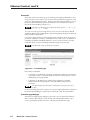
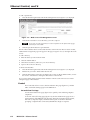
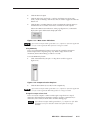
Click the Input drop box. A drop down scroll box appears (figure 6-10).
Figure 6-10 — Input selection drop box
2.
Click and drag the slider or click the scroll up ( ) button or scroll down ( )
button until the desired input is visible.
3.
Click the desired input.
4.
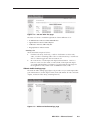
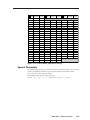
Click the Input Audio Level (dB) drop box. A drop down scroll box appears
(figure 6-11).
Figure 6-11 — Gain drop box
5.
Click on the desired gain or attenuation value.
Mute and unmute one or all outputs
Mute one or all outputs as follows:
1.
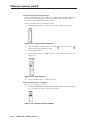
To select an individual output to mute or unmute, click on the Output drop
box. A drop down scroll box appears (figure 6-12).
Figure 6-12 — Output selection drop box
6-10
MPX 423 A • Ethernet Control